










































Nvidia GeForce 621.40 Driver Fixes the SSD Wear Bug, but Users Report Black Screens and Lost Display Signals
Nvidia's GeForce Game Ready driver 621.40, released on November 24, fixes the SSD-wearing log bug from earlier 621.x releases — but within days, users in Nvidia's official feedback thread began reporting black screens, flickering and lost display signals, mostly on RTX 50 series cards. Nvidia has not acknowledged the new complaints, and affected users are rolling back to older drivers.

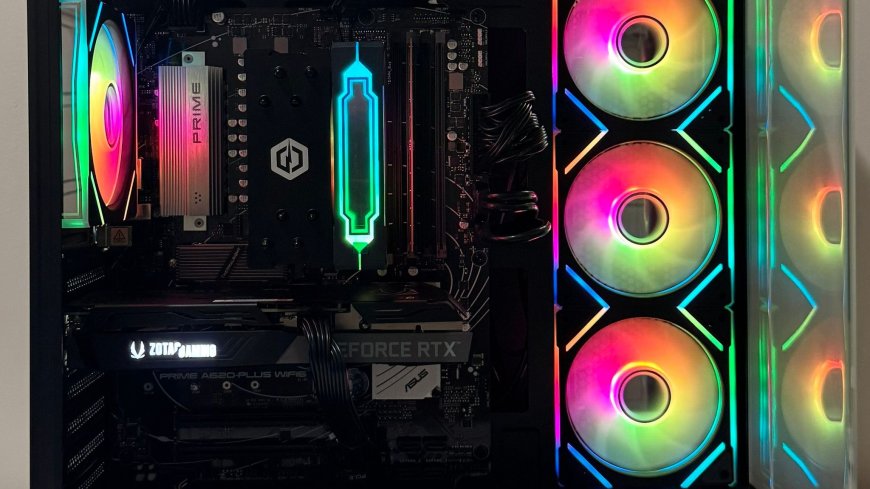
Nvidia GeForce 621.40 Driver Fixes the SSD Wear Bug, but Users Report Black Screens and Lost Display Signals
Nvidia's latest graphics driver was supposed to close the book on an embarrassing bug. Instead, it appears to have opened a new chapter. GeForce Game Ready driver 621.40, released on November 24, 2026, fixes a fault that had the driver quietly writing data to users' SSDs around the clock — but within two days of its release, owners in Nvidia's official feedback thread were reporting a fresh set of problems: black screens on startup, flickering displays, and monitors that simply refuse to wake up.
It is the latest turn in a rough run for Nvidia's driver releases, and for now the company has said nothing about the new complaints.
The SSD bug 621.40 was meant to kill
The problem 621.40 addresses was an odd one. In driver versions 621.14 and 621.24, the NVIDIA Display Container service kept rewriting a log file called nvlog.nvlgstg, even while the PC sat idle. Some users measured writes of up to 30GB per hour — needless wear on a component with a finite lifespan. Nvidia logged the fault as bug 7116722 and shipped a first fix in hotfix driver 621.35 on November 20, but some users reported that the excessive writes continued. Version 621.40 carries the fix into a full WHQL-certified Game Ready release, with what Nvidia described as an additional change aimed at the affected systems, and early feedback suggests the abnormal writing has stopped on many machines that were hit by it.
The driver also brings game support for Warhammer 40,000: Dawn of War IV and Assetto Corsa Rally, DLSS 5 support in Where Winds Meet, and a fix for incorrect colours when playing DJI D-Log H.265 video in Windows Media Player.
Black screens and signal loss, mostly on RTX 50 cards
That relief has been short-lived for a growing group of users. In Nvidia's official GeForce GRD 621.40 feedback thread, owners report black screens after cold boots, signal dropouts across HDMI, DisplayPort and USB-C, and external monitors that are not detected or fail to power on. RTX 50 series owners are the most vocal: one user said that about half the time, an external monitor connected over USB-C or DisplayPort simply did not light up, forcing a cable replug or a reboot, while another said the DisplayPort output only worked after a full shutdown and restart. Reports also include random monitor shutdowns, display flickering, and occasional green-screen crashes, with a restart restoring the picture only temporarily.
The complaints are not confined to Blackwell cards. At least one GeForce RTX 4070 Ti owner, on the previous-generation Ada Lovelace architecture, has reported similar symptoms, and an RTX 5080 owner running two displays said the primary monitor would randomly turn off. Nvidia's own release notes for 621.40 do list a fix for video playback freezing or triggering a black screen on RTX 50 GPUs — yet display output remains the most prominent complaint in the feedback thread.
Some users also say older display glitches have carried over from earlier 621.x releases, including brief flashes of coloured noise on secondary screens in mixed HDR and SDR multi-monitor setups when GPU memory clocks drop at idle.
What users are doing about it
For now, the practical answer from the community is to roll back. Users report that returning to an older driver restores normal display output — one user said rolling back from 621.40 to version 610.88 brought the DisplayPort connection back to normal, while others point to 617.42 as the most stable recent release, free of both the SSD write bug and the black screens. The usual advice applies: remove the current driver cleanly with Display Driver Uninstaller in Windows Safe Mode, or use the clean install option in the Nvidia app when installing the older version. TweakTown, meanwhile, suggests 621.01 as a safe fallback.
It is worth keeping the reports in proportion. These are individual user accounts from forums and social media, not confirmed figures, and nobody yet knows how widespread the problems are. A single person's experience with their own setup does not mean every RTX 50 card will behave the same way. What is clear is that Nvidia has not published any acknowledgment of the display complaints, so there is no official guidance — and no timeline for a fix — yet.
Until the company responds, the sensible move for anyone on an RTX 50 card with more than one monitor is to read the feedback thread before updating, and to hold off if the current driver is working. If you have already installed 621.40 and the screen has gone dark, a restart may bring the picture back temporarily, but a rollback to 617.42 or 610.88 is the workaround users are relying on.
Sources
- Wccftech — NVIDIA GeForce GPU Owners Can't Catch A Break; Latest 621.40 Drivers Meant To Fix SSD Wear Now Causing Display Signal Loss And Black Screens
- pbxscience — Nvidia's 621.40 Driver Fixes the SSD Write Bug, but Black Screens and Signal Loss Are Back
- HotHardware — NVIDIA's GeForce Driver 621.40 Trades SSD Woes For Black Screen Reports
- TweakTown — NVIDIA GeForce driver 621.40 fixes SSD write issues, but users are now reporting black screens and flickering
What's Your Reaction?
 Like
0
 Dislike
0
 Love
0
 Funny
0
 Angry
0
 Sad
0
 Wow
0