





































Google Gemini Arrives on Apple CarPlay With Live Conversations, Gmail and Calendar
Google is rolling out the Gemini app to Apple CarPlay, bringing Gemini Live voice conversations, Gmail summaries and Google Calendar checks to iPhone drivers' dashboards — globally, in every language Gemini Live supports.

Google Gemini Arrives on Apple CarPlay With Live Conversations, Gmail and Calendar
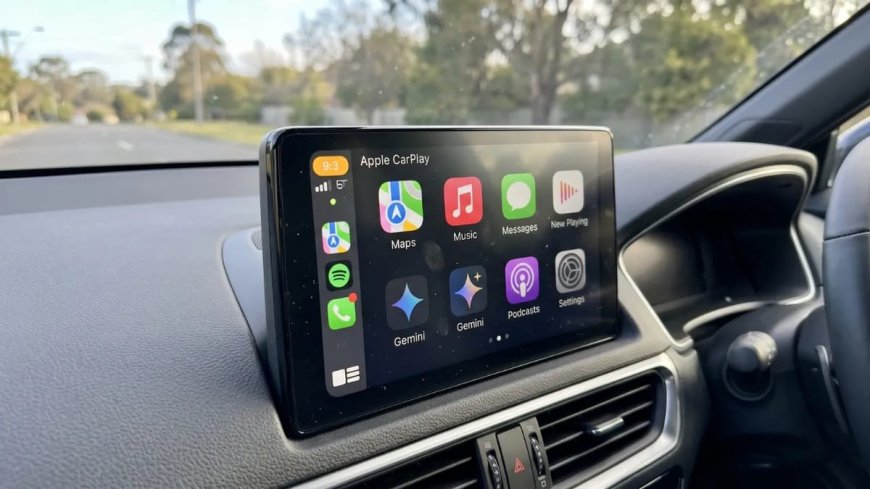
Google is bringing its Gemini app directly to Apple CarPlay, giving iPhone drivers a hands-free AI companion on the road. Announced on November 11, the rollout puts Gemini Live — Google's conversational voice assistant — on the car's display, where drivers can talk naturally, catch up on email, check their calendar and plan their day without picking up their phone.
It is the latest step in Gemini's move beyond the phone. Google had already brought the assistant to Android Auto and to cars with Google built in; CarPlay, used by millions of iPhone owners, was the obvious next stop. The app is rolling out globally to all Gemini users on iOS, in every language Gemini Live supports.
Pick up where you left off — or start fresh
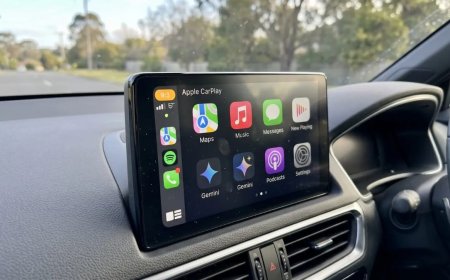
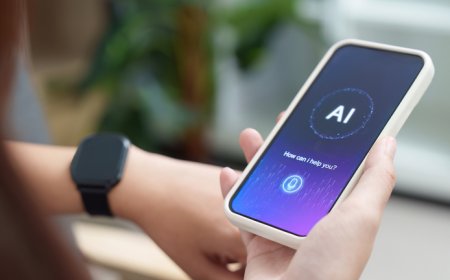
Once the app appears on the CarPlay screen, drivers tap the Gemini icon — on the display or the side rail — to start a new conversation or resume a recent one from their phone. Google designed the experience as a conversational driving companion that keeps distraction to a minimum: drivers can interrupt Gemini mid-sentence, add a detail, change the subject, or pause the conversation when they need to concentrate on an exit.
Because conversations sync automatically with the Gemini app on the iPhone, everything discussed in the car — summaries, notes, brainstorms — is waiting in the chat history the moment the driver parks.
Gmail and Calendar come along for the ride
The most practical part of the update is the connection to Google Workspace apps. Through Gmail and Google Calendar, Gemini on CarPlay can give a daily brief, catch up on unread emails, summarise a long email thread, and talk through a quick reply using voice alone. On the calendar side, drivers can ask what the day looks like, when they need to leave for the next appointment, or talk through what they want to say before they arrive.
Google positions the feature as a way to turn the commute into useful time. For many drivers, the daily drive averages about an hour behind the wheel, and the company argues that time can be used to prepare for the first meeting of the day rather than simply pass by.
More than a calendar check
Beyond email and scheduling, Gemini on CarPlay can suggest places to eat along the route, explain the backstory of a local landmark, or act as a sounding board. Google suggests using Gemini Live to rehearse an upcoming presentation, prepare for a difficult conversation, or break down a complex topic — its own example is asking how solid-state EV batteries work in simple terms.
The assistant's arrival on CarPlay also fits a wider pattern: Google has been weaving Gemini into more of its products through the year, from the Gemini 4 Hydrogen model launch to reports that Gemini could become an assistant option on the iPhone itself. For now, the car is the newest place the assistant shows up.
How to get Gemini on CarPlay
There is no separate app to download. Drivers need the latest version of the Gemini app on their iPhone, microphone permission enabled, and to have used Gemini Live on the phone at least once. The next time the phone connects to the car, the Gemini icon should appear on the CarPlay display — tap it to start a new conversation or pick up a recent one. As with any staged rollout, it may take a few days to reach every user.
Sources
What's Your Reaction?
 Like
0
 Dislike
0
 Love
0
 Funny
0
 Angry
0
 Sad
0
 Wow
0