



























































How to Stop Your Phone From Overheating: Quick Fixes for Android and iPhone
A hot phone is usually fixable in minutes. This guide explains why phones overheat, the fastest safe ways to cool one down, and the Android and iPhone settings that stop it happening again — plus the warning signs that mean the battery needs checking.

How to Stop Your Phone From Overheating: Quick Fixes for Android and iPhone
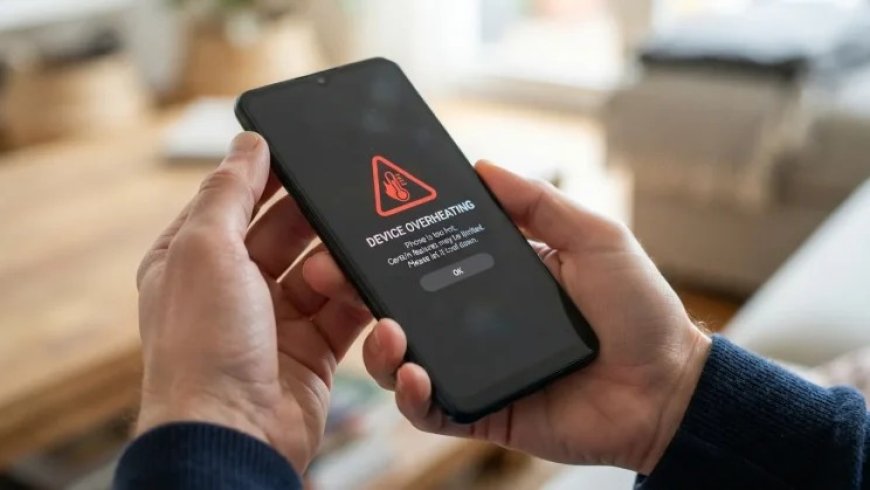
A phone that feels hot in your hand is one of the most common smartphone problems, and in most cases it is also one of the easiest to fix. Modern phones are designed to throttle themselves and shut down before heat causes real damage, so a warm handset is usually a warning, not a disaster. The trick is knowing what is generating the heat, cooling the phone down safely, and changing the habit or setting that caused it.
Heat comes from work. The processor, the battery, the screen and the radios all generate warmth when they are pushed hard, and they generate the most when several of them are pushed at once — a graphics-heavy game, on a bright screen, while fast charging, in direct sunlight, with a weak mobile signal. Any one of those on its own is manageable. Stack them together and the phone starts to cook.
Cool it down right now
If your phone is hot this second, work through these steps in order. First, stop whatever is stressing it: quit the game, close the camera, and if it is plugged in, unplug it — charging adds heat on top of everything else. Second, get it out of the heat: off the car dashboard, out of direct sun, out of your pocket where body heat is trapped around it.
Third, take the case off. Many cases act like a blanket, holding heat against the back of the phone where the battery sits. Set the phone on a cool, hard surface such as a table or desk, not on a bed or sofa, which insulates it. Drop the screen brightness, and switch on Airplane Mode for a couple of minutes — that halts the cellular, Wi-Fi and Bluetooth radios all at once and cuts a big chunk of the thermal load.
Do not put a hot phone in the fridge or freezer. The sudden temperature change can cause condensation inside the handset, which is far worse than the heat you were trying to escape. A fan, or holding the phone in front of a car air vent, cools it far more safely.
Why your phone keeps getting hot
Once the phone has cooled, the next step is finding the cause, because heat that keeps returning usually has a specific culprit. The usual suspects are a demanding app running in the background, a weak signal forcing the radio to work at full power, a software bug, or a battery that is wearing out.
Check which apps are using the most battery. On both Android and iPhone, the battery settings show a per-app breakdown, and a single app sitting near the top of that list while you are barely using it is your prime suspect. Update it, restrict its background activity, or uninstall it if you do not need it.
A weak signal is an underrated cause. When the phone struggles to hold a connection, the radio boosts its power and stays active far longer than normal. In a low-signal area, switching from 5G to LTE can noticeably reduce heat, and the phone will usually run cooler once you are back in a strong coverage zone.
Software updates matter more than they look. Manufacturers regularly ship efficiency fixes in point releases, and an overheating bug in one version is often patched in the next. If the heat started right after an update, give the phone a day first — a freshly updated iPhone, for example, often runs warm for several hours while it re-indexes photos and files in the background, and this settles on its own.
Fixing constant overheating on Android
On Android, start in Settings, then Battery, and review which apps are draining the most power. Force-stop or uninstall anything using heavy power in the background that you are not actively using. Turn on Battery Saver, which throttles background activity, reduces the display refresh rate and limits location accuracy — all of which cut processor load and heat.
Restrict background activity for the worst offenders: go to Settings, then Apps, pick the app, then Battery, and set it to Restricted. Keep the system software current, since updates frequently patch overheating bugs, and restart the phone — a simple reboot clears stuck processes that locking and unlocking the screen never touches.
Fixing constant overheating on iPhone
On iPhone the levers are fewer but the same ideas apply. Enable Low Power Mode in Settings, then Battery: it reduces brightness, limits background fetches and eases off demanding tasks. Turn off Background App Refresh, or set it to Wi-Fi only, in Settings, then General. Limit Location Services for apps that do not need it, under Settings, then Privacy and Security.
Keep iOS updated — Apple frequently ships efficiency improvements in point releases that reduce processor load under normal use. Check Settings, then Battery for apps with unusual background activity, and offload or delete a suspicious one. If the phone overheats during normal, light use and the battery drains unusually fast, check Battery Health: a battery that has degraded below about 80 percent capacity runs hotter and less efficiently, and replacing it often solves both the heat and the poor battery life.
Charging without the heat
Charging is the most common heat source people ignore, because it feels normal. The worst combination is gaming or streaming while fast charging — the processor and the battery are both working at full tilt at the same time. If you must use the phone while it charges, keep the load light.
Charge on a hard surface so air can circulate, and take the case off if the phone feels warm on the charger. Use a manufacturer-approved or certified charger — a cheap, uncertified charger can feed the battery power it was not designed for. And if your phone supports it, turn on any battery-protection or optimised-charging setting, which slows charging once the battery is nearly full and reduces the heat that builds up overnight.
When to worry
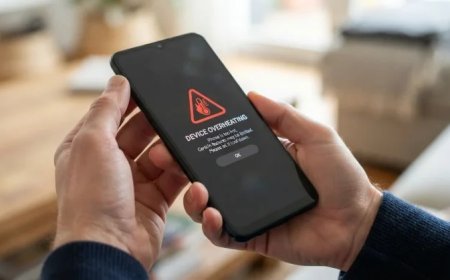
Most overheating is a software or habit problem. But a few signs mean you should stop using the phone and get it checked. If the back of the phone is swelling or separating from the frame, if it gets hot while idle and barely used, if it drains from full to empty in a couple of hours, or if it shuts down repeatedly with temperature warnings, the battery itself is the likely culprit — and a swollen battery is a safety issue, not a nuisance.
The same applies if the heat started suddenly after a drop, a repair, or water exposure. In those cases, back up your data if you safely can, power the phone down, and take it to a qualified repair shop rather than trying to fix it with settings.
The bottom line
For the vast majority of phones, overheating is a short list of fixes: close heavy apps, get out of the sun, take the case off, stop charging while you play, and tame the apps and settings that work hardest in the background. Pair those with a certified charger and up-to-date software, and a phone that used to run hot will usually stay comfortably cool. And if it does not — if the heat comes with a swelling battery or a rapid drain — that is the phone telling you it needs a repair, not another setting change. For more ways to ease the strain on your battery day to day, see our guide on making your smartphone battery last longer.
Sources
What's Your Reaction?
 Like
0
 Dislike
0
 Love
0
 Funny
0
 Angry
0
 Sad
0
 Wow
0