









































USB-C Explained: Everything You Need to Know About the Universal Connector
USB-C is now the standard charger and data port on almost every phone, laptop and tablet. This guide explains what USB-C is, how fast it can charge and transfer data, what USB4 and Thunderbolt mean, and how to pick the right cable.
USB-C Explained: Everything You Need to Know About the Universal Connector
USB-C is now the standard charger and data port on almost every phone, laptop and tablet. This guide explains what USB-C is, how fast it can charge and transfer data, what USB4 and Thunderbolt mean, and how to pick the right cable.
What is USB-C?
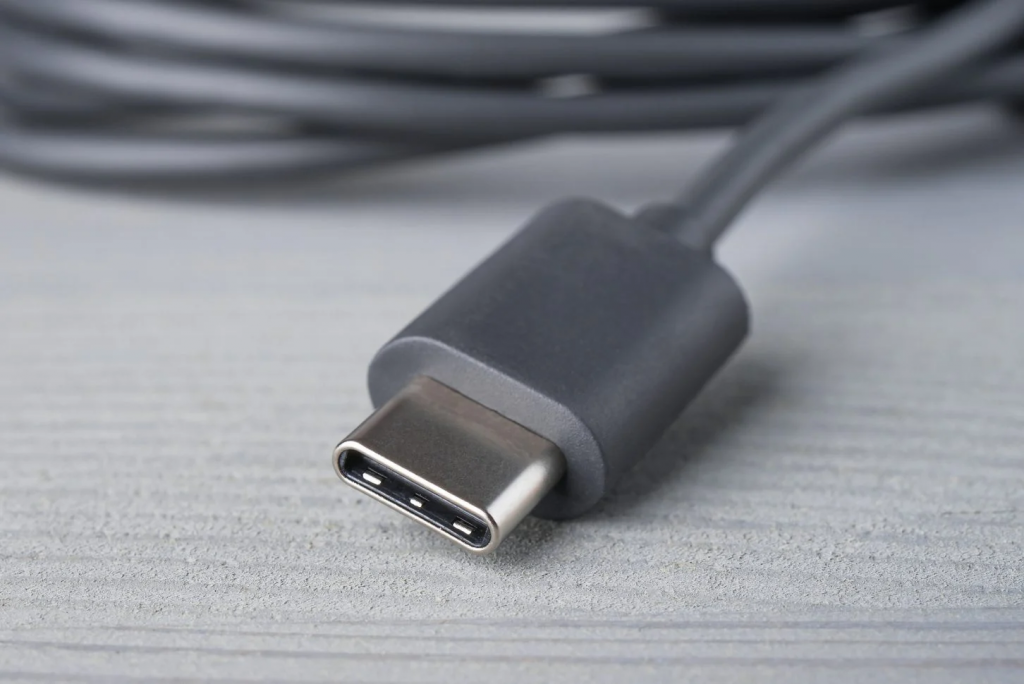
USB-C is a small, oval-shaped connector that has replaced the older USB-A, Micro-USB and most proprietary charging ports. It is reversible — there is no upside-down — and a single USB-C port can carry power, data, video and audio at the same time. That is why the same cable can charge your phone, connect a monitor to your laptop, and transfer files.
One shape, many speeds
The confusing part of USB-C is that the connector shape tells you nothing about speed. A USB-C port can be USB 2.0 (480 Mbps), USB 3.2 (5, 10 or 20 Gbps), USB4 (20 or 40 Gbps) or Thunderbolt (up to 40 or even 80 Gbps). Two identical-looking cables can perform very differently, so always check the specifications of the device and the cable — not just the shape of the plug.
Charging: USB Power Delivery
USB-C supports USB Power Delivery (USB PD), a standard that lets devices negotiate how much power they need. A phone might charge at 25W or 45W, while a laptop can draw 65W, 100W or even 240W over USB-C with the latest USB PD 3.1 standard. That is why one good USB-C charger can power a phone, a tablet and a laptop — as long as its wattage is high enough for the biggest device.
What is USB4?
USB4 is the latest version of the USB standard, built on Thunderbolt technology. It offers up to 40 Gbps data transfer, can drive two 4K displays (or one 8K display), and supports the highest USB PD charging speeds. Most new laptops and flagship phones in 2026 support USB4 or Thunderbolt over their USB-C ports.
USB-C vs Thunderbolt
Thunderbolt is a faster, stricter standard that uses the same USB-C connector. Thunderbolt ports are backward compatible with USB-C devices, but a USB-C port is not necessarily a Thunderbolt port — look for the lightning-bolt symbol next to the port. Thunderbolt is mainly useful for professionals connecting high-speed storage, docks and multiple displays.
How to pick the right USB-C cable
First, match the cable to the job: a basic cable is fine for charging a phone overnight, but for fast charging a laptop or moving large files, buy a cable rated for the speed and wattage you need — look for "USB4", "240W" or "40 Gbps" on the packaging. Second, buy from a reputable brand: cheap uncertified cables can damage devices or charge slowly. Third, check the length — longer cables can be slower unless they are active cables with built-in signal boosters.
Why USB-C became the standard
The European Union now requires USB-C on phones, tablets, cameras and laptops sold in the EU, which pushed Apple to switch the iPhone to USB-C and made the connector effectively universal. One charger for everything means less electronic waste and fewer cables in your drawer.
Sources
What's Your Reaction?
 Like
0
 Dislike
0
 Love
0
 Funny
0
 Angry
0
 Sad
0
 Wow
0