






























Googlebook’s Intel Laptops May Struggle With Some Complex Android Apps
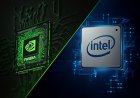
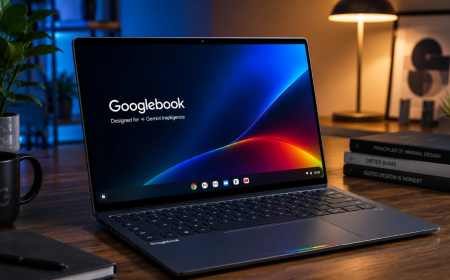
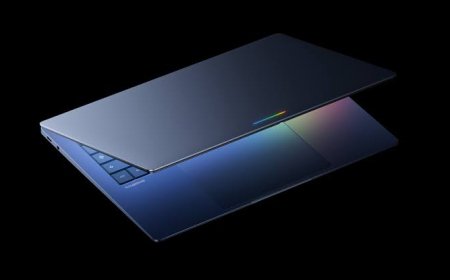
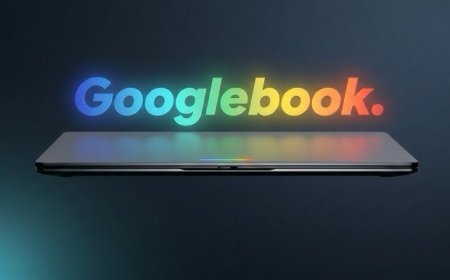
Google has acknowledged that a small number of complex Android apps and games may not perform as well on Intel-powered Googlebook laptops as they do on Qualcomm-based models. The issue stems from the different CPU architectures used by Android applications and the first-generation Googlebook lineup, raising fresh questions about app compatibility on Google’s new Android-based laptop platform.
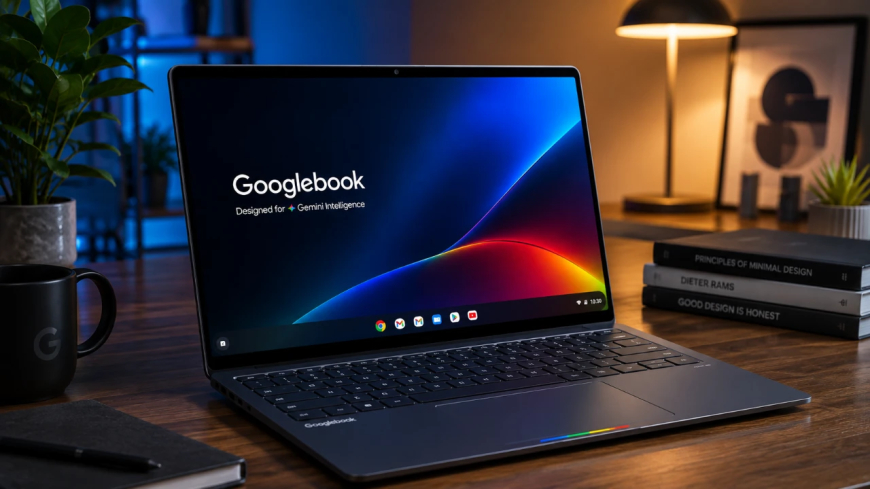
Googlebook’s Biggest Android Advantage Comes With an Unexpected Catch
Google’s new Googlebook platform was designed around a simple idea: bring the Android experience to a premium laptop while combining it with the desktop foundations that made ChromeOS practical. But as the first Googlebook machines have now reached buyers, an important technical limitation has emerged.
Google has confirmed that while the vast majority of Android apps run smoothly on both Intel- and Qualcomm-powered Googlebooks, a small number of complex applications and games may need additional optimization to perform properly on Intel hardware. The company says it is working with developers, Intel and Qualcomm to improve compatibility over time.
That admission is particularly interesting because Android app compatibility is one of Googlebook’s major selling points. Google has positioned the new platform as a laptop built around the Android technology stack, with access to Android applications alongside desktop-oriented features, AI tools and integration with Android phones.
The problem is not simply that Intel processors are “too slow.” It comes down to something much more fundamental: CPU architecture.
Why Intel and Android Apps Can Create a Compatibility Problem
Most Android smartphones use ARM-based processors. Android applications have consequently been developed primarily with ARM architecture in mind. Intel processors, meanwhile, use the x86 architecture.
For ordinary Android applications written largely in Java or Kotlin, that architectural difference is often not a major obstacle. Google's developer documentation specifically notes that the distinction becomes more important for applications containing native C or C++ code, including software and games built with native development tools or game engines.
That matters because sophisticated games and demanding Android applications frequently contain native components designed around particular processor architectures. If an application does not contain the appropriate x86 or x86-64 binaries, the operating system may have to rely on translation mechanisms to make ARM-oriented code work on an Intel machine.
Translation can make compatibility possible, but it is not necessarily the same as running native code.
Google's own ChromeOS developer documentation explains that ARM code translated on x86 Chromebooks can reduce performance and increase battery consumption. Developers are therefore encouraged to provide native x86 builds whenever possible.
Googlebook Is New, But the Problem Isn't
There is an important bit of history behind Google's latest admission.
Android applications have been available on compatible Chromebooks for years, and the ARM-versus-x86 compatibility question has been part of ChromeOS development for a long time. Google has previously advised developers to test their applications across both ARM and x86 ChromeOS hardware.
What makes the situation more significant with Googlebook is the platform's positioning.
Googlebook is not being marketed simply as another Chromebook that happens to run Android apps. Google describes it as a new category of laptop built around Android technology and Gemini, with desktop foundations derived from ChromeOS.
That makes the expectation of broad Android compatibility much stronger.
Google's official Googlebook announcement says the new laptops are built on the Android technology stack and designed to work closely with Android phones. The launch hardware includes processors from both Intel and Qualcomm, with the platform also intended to support future silicon options.
So the processor architecture remains relevant even though Google has redesigned the software platform around Android.
Three of the First Googlebooks Use Intel Chips
The issue is particularly noteworthy because Intel is not a minor part of the launch lineup.
The first generation of Googlebooks includes five laptops from Acer, ASUS, Dell, HP and Lenovo. According to current reports, the Acer, ASUS and Lenovo models use Intel Core Ultra Series 3 processors, while Dell and HP offer Qualcomm Snapdragon X Elite-based configurations.
That means Intel-powered machines account for a substantial portion of the first wave of Googlebook hardware.
For buyers choosing between models, processor architecture could therefore become more than a specification-sheet detail. Two Googlebooks might have similar amounts of RAM, storage and display technology but potentially deliver different experiences with certain Android applications.
Google has not identified specific applications or games that currently suffer from these limitations. That makes it impossible to create a definitive list of software that Intel Googlebooks cannot run properly.
The company's wording instead suggests a relatively limited problem affecting a “small handful” of complex applications and games rather than a broad failure of Android compatibility.
Most Android Apps Should Still Work Normally
The important point for prospective buyers is that Google is not saying Intel Googlebooks cannot run Android apps.
Quite the opposite.
Google says the vast majority of Android applications run smoothly across both Intel and Qualcomm Googlebooks straight out of the box. The compatibility concern is concentrated around applications that make heavier use of native code and those that have been optimized primarily for ARM hardware.
For someone using common productivity apps, communication services, media applications or lightweight Android software, the architecture issue may never become noticeable.
The situation is more complicated for demanding games and technically sophisticated applications. These programs are more likely to depend on native libraries, specialized processing or performance-sensitive code.
That distinction is important because the headline “Intel Googlebooks can't run Android apps” would be misleading. The real issue is optimization and performance for a relatively small subset of applications.
Developers Have a Big Role to Play
Google's comments also put some responsibility on Android developers.
Google's developer documentation recommends that applications containing native code provide builds for ARM32, ARM64, x86 and x86-64 where appropriate. Providing the correct application binaries allows software to run more directly on different processor architectures and can improve both performance and power efficiency.
Android App Bundles also give developers a way to distribute the appropriate architecture-specific components without forcing every user to download every version of the native code.
This means the Googlebook situation could improve considerably as developers update their applications.
The platform is still at the beginning of its lifecycle. Developers now have another important laptop category to consider, and Google says it is actively working with app makers and chip manufacturers to expand compatibility.
What This Means for Googlebook Buyers
For most people, the Intel issue probably shouldn't be the sole reason to avoid an Intel Googlebook.
The first-generation machines are premium laptops with modern Intel or Qualcomm processors, at least 16GB of RAM across the lineup, high-resolution displays on some models and Google's new Gemini-focused software experience. Google has also promised long-term software support for Googlebook OS.
The more important question is how heavily a buyer expects to depend on demanding Android applications.
Someone purchasing a Googlebook primarily for web browsing, productivity, communication, streaming and Google's built-in AI features is unlikely to encounter the problem frequently.
A user who expects the laptop to replace an Android gaming device or run a large collection of complex Android applications, however, may want to pay closer attention to processor choice and individual application compatibility.
Googlebook's Android Strategy Is Being Tested in the Real World
The Intel compatibility issue highlights one of the biggest challenges facing Google's new laptop strategy.
Moving Android onto a larger laptop platform gives Google a huge existing software ecosystem to work with, but Android was originally built around a world dominated by ARM smartphones. Desktop computing introduces different processors, screen sizes, input methods and application requirements.
Googlebook attempts to bridge those worlds.
That approach has obvious advantages. Developers don't necessarily need to build an entirely separate ecosystem from scratch, while Android users get a familiar software environment and deeper phone integration. But compatibility problems such as this show that simply placing Android applications on a laptop is not enough.
The software still has to understand the hardware underneath it.
The Verdict: A Small Problem With Bigger Implications
Google's admission does not appear to represent a major compatibility crisis for Googlebook. The company says most Android apps work normally, and it is already working with developers and chipmakers to improve the experience.
Still, the issue is worth watching because Googlebook's long-term success depends heavily on making Android feel natural on laptop hardware.
Intel-powered Googlebooks are not inherently incompatible with Android applications. Instead, some demanding apps and games may need additional developer work because their underlying code was built with ARM hardware in mind.
For now, that makes the Intel-versus-Qualcomm distinction a technical consideration rather than a clear winner-and-loser situation. As more developers optimize their applications for Googlebook and more hardware reaches users, real-world testing will reveal how large the gap actually becomes.
The bigger question is whether Google can make Android's enormous application ecosystem feel as seamless on a laptop as it does on a phone. That will be one of the most important tests for Googlebook as the platform moves beyond its first generation.
Sources
- Google — Introducing Googlebook
- Google — Googlebook first look and hardware details
- Google Android Developers — ChromeOS device support for Android apps
- Google ChromeOS Developers — Android app publishing considerations
- Android Authority — Googlebook Android app compatibility report
- 9to5Google — Intel Googlebooks and complex Android apps
- Tom's Hardware — Intel Googlebooks and Android app compatibility
What's Your Reaction?
 Like
0
Like
0
 Dislike
0
Dislike
0
 Love
0
Love
0
 Funny
0
Funny
0
 Angry
0
Angry
0
 Sad
0
Sad
0
 Wow
0
Wow
0