






























































macOS 27.3 Adds Strict New Controls to Stop AI Agents Grabbing Full Disk Access
Apple has detailed new Mac security controls arriving in macOS 27.3 that make it much harder to hand an AI agent full access to your computer. The update splits the old all-or-nothing permission into two clearer settings, adds a blunt warning screen before apps can read, change or export your files, and lets users make apps ask for permission every time.
macOS 27.3 Adds Strict New Controls to Stop AI Agents Grabbing Full Disk Access
Apple is putting a much firmer guardrail between AI agents and everything stored on a Mac. The company has detailed a set of new security controls arriving in macOS 27.3 that change how apps ask for Full Disk Access, the powerful permission that lets software read files, messages, mail, photos and browsing history across the whole machine. The changes are already live in the second developer beta of macOS 27.3, which Apple seeded on Monday, November 16.
The move follows a promise Apple made in October, when it said it would tighten the rules around Full Disk Access because of the risks posed by increasingly capable AI agents. Unlike chatbots that simply answer questions, agents act on a user's behalf, working across files and apps. That convenience comes with a cost: an agent given unrestricted access can see far more than the task in front of it requires, and users have not always understood what they were agreeing to.
Why Apple decided to act now
Apple's concern is not abstract. The announcement followed two incidents that put AI agents in an uncomfortable light. In one, a journalist claimed that Meta's Muse app had read their private messages without consent. In another, a flaw reported in ChatGPT's Mac app could have allowed hackers to reach sensitive data. Apple had already warned on October 2 that some developers use Full Disk Access in ways that can put users at risk, exposing files, mail, messages and browsing history without users fully understanding what they had allowed.
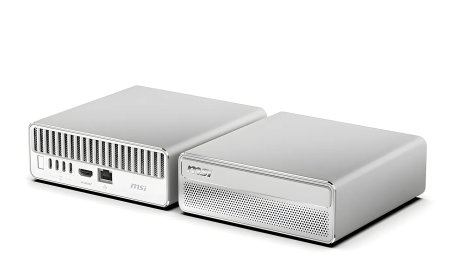
There is also an awkward tension for Apple itself. While it warns about the risks of AI agents, the company has been benefiting from sales of Mac minis and Mac Studio computers that AI enthusiasts have been buying specifically to run local AI models. The new controls are Apple's attempt to balance those competing interests: keep the Mac open to powerful AI tools, but make the dangerous choice look dangerous.
What changes in macOS 27.3
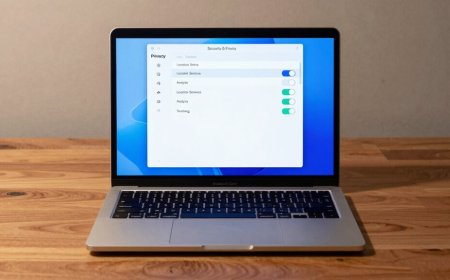
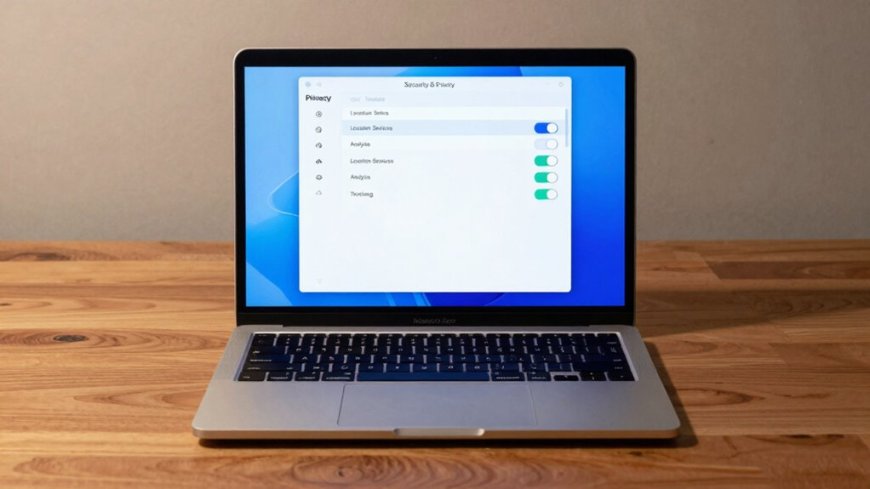
The centrepiece is a split of the existing Device Control and Data Access setting into two separate settings: System and App Protection Override, and Accessibility. The first covers apps that need to override built-in macOS protections to control other software, while the second serves assistive tools such as screen readers. Making the split explicit means users can see clearly when they are handing an app the ability to control other apps, rather than that power being bundled invisibly into a single toggle.
Apple is also changing how permissions are granted. There will now be a single method for granting them, by selecting the requesting app from a list, and new guidance will encourage users to grant access only to the specific apps, or the specific folders, that a workflow actually needs. An AI tool that only needs one project folder should no longer need the run of the entire disk, and Apple is telling developers their apps should learn to gracefully handle having access to only a limited set of folders or apps.
A warning screen that spells out the stakes
Full Disk Access itself is getting a much blunter consent screen. Before an app can be given that level of access, users will see a warning that their Mac will not be able to protect their data from the app, and they will have to review and approve exactly what the app will be able to do. That list includes reading, changing, deleting and exporting all of their data, viewing hidden and recently deleted photos, and viewing history and browsing as the user.
Apple's message to developers is direct. "Before granting an app such extraordinary access, users should understand that it puts all of the data on their Mac at risk," the company wrote in a blog post aimed at app developers. The controls will not stop users from granting AI agents access to their files, but they are designed to give people pause before they do.
More control over when access applies
Users will also get finer control over timing. Apps can be configured to ask for permission every time they need access, rather than being granted it once and keeping it indefinitely. That may be tedious for heavy automation, but it lets people experiment with local AI tools without giving an agent permanent carte blanche over their machine.
A new transparency indicator will appear in the menu bar whenever an app is controlling another app through the System and App Protection Override setting, so automation running in the background is visible rather than silent. Apple says it will also give users increased visibility into the wide range of data apps will receive access to, or control over, if full permissions are granted.
What the changes do not do
Importantly, none of this blocks AI agents from the Mac. Users can still install and run apps such as ChatGPT, Claude and Gemini, and those apps can still request Full Disk Access. The controls change the decision, not the availability. Permissions that have already been granted will also stay in effect, so the new screens appear only when approving new requests.
There are exceptions for legitimate uses. Developers of apps that need Full Disk Access for disk backup, or the new Accessibility settings for assistive technologies, can request special entitlements from Apple to preserve the functionality they offered before the macOS 27.3 update. Apple has not yet published the full entitlement criteria.
When Mac users will see it
The changes are in macOS 27.3 beta 2, and Apple has not said when the finished update will reach all users. The same beta cycle is already bringing other changes: the second developer beta of iOS 27.3, released the same day, adds a front-camera face unlock option to the iPhone Duo. For Mac owners, the practical effect of the new controls will be felt mainly on new installs and new permission requests, since existing grants are untouched. The message, though, is unmistakable: on the Mac, full access to your data is about to become a decision Apple wants you to make with your eyes open.
Sources
What's Your Reaction?
 Like
0
 Dislike
0
 Love
0
 Funny
0
 Angry
0
 Sad
0
 Wow
0