
























































How to Free Up Storage on iPhone: 10 Ways to Reclaim Space Fast
Is your iPhone constantly warning you that storage is full? These 10 proven methods — from offloading apps to optimizing photos — will free up gigabytes without deleting your memories.
How to Free Up Storage on iPhone: 10 Ways to Reclaim Space Fast
Is your iPhone constantly warning you that storage is full? These 10 proven methods — from offloading apps to optimizing photos — will free up gigabytes without deleting your memories.
iPhones do not have microSD slots, so when storage runs out, you cannot just add a card. But iOS has powerful built-in tools for reclaiming space — most iPhone owners simply never turn them on. Work through these steps in order.
1. Check what is using your storage
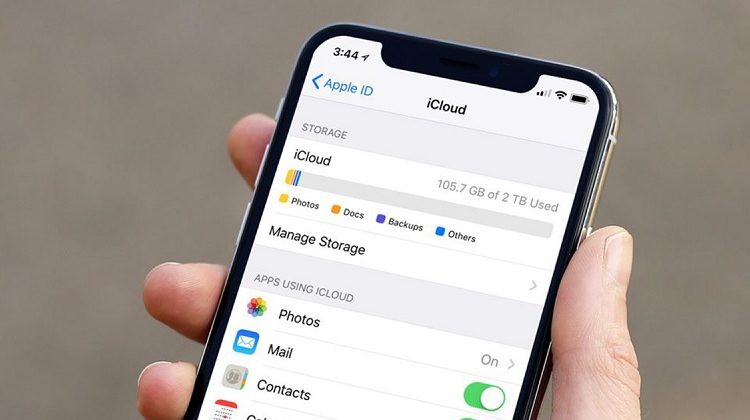
Go to Settings, then General, then iPhone Storage. iOS shows a color-coded bar and a list of apps by size, plus personalized recommendations at the top. Start with whatever is biggest.
2. Turn on Optimize iPhone Storage for photos
Photos and videos are usually the biggest category. Go to Settings, then Photos, and turn on iCloud Photos with "Optimize iPhone Storage" selected. Your full-resolution photos stay in iCloud, and your phone keeps smaller versions — often freeing up many gigabytes. Make sure iCloud backup is complete first.
3. Offload unused apps
Offloading removes the app itself but keeps its documents and data, so you can reinstall it later exactly where you left off. Go to Settings, then General, then iPhone Storage, and turn on "Offload Unused Apps" — iOS will do it automatically — or offload individual apps manually from the same screen.
4. Delete old messages and attachments
Years of iMessage photos, videos and voice notes add up. Go to Settings, then General, then iPhone Storage, then Messages, and review large attachments. You can also set messages to auto-delete after 30 days or one year under Settings, then Messages, then Keep Messages.
5. Clear Safari and app caches
Safari stores website data that grows over time. Go to Settings, then Safari, then Clear History and Website Data. For other apps, there is no single clear-cache button on iOS — instead, check inside each app's own settings, or delete and reinstall a heavy app like Facebook or Instagram to wipe its cache.
6. Manage WhatsApp media
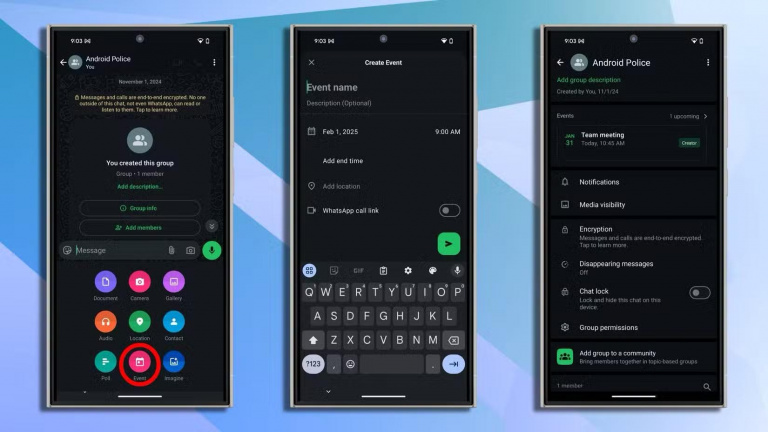
WhatsApp quietly saves every photo and video from every group. In WhatsApp, go to Settings, then Storage and Data, then Manage Storage, and delete large files and media from chats you do not need. Turn off auto-download for media so it stops filling up again.
7. Delete downloaded music, podcasts and videos
Downloaded songs, podcast episodes and Netflix or YouTube videos take up huge space. In Apple Music, Podcasts and your video apps, remove downloads you have already watched or listened to — streaming them again later costs nothing in storage.
8. Check the mysterious "System Data"
The "System Data" category in iPhone Storage holds caches, logs and temporary files. Restarting your phone clears some of it. If it has grown very large — tens of gigabytes — backing up and restoring the phone, or updating iOS, usually brings it back down.
9. Use iCloud or another cloud service
The free iCloud plan only includes 5GB, which fills up fast. If you take a lot of photos, a paid iCloud plan (starting at 50GB) is the simplest fix — or use Google Photos, Google Drive or Dropbox for backups instead. Either way, keep a cloud copy before deleting anything from the phone.
10. When nothing else works
If you have tried everything and the phone is still full, back it up to iCloud or a computer, then erase it (Settings, then General, then Transfer or Reset iPhone, then Erase All Content and Settings) and restore from the backup. It is a hassle, but it clears out years of accumulated junk and the phone feels new again.
Sources
What's Your Reaction?
 Like
0
 Dislike
0
 Love
0
 Funny
0
 Angry
0
 Sad
0
 Wow
0