




















































How to Protect Yourself From Phishing and Online Scams: A Practical Guide
Phishing scams steal passwords and money by pretending to be someone you trust. Learn how to spot fake emails, texts and calls, and what to do if you clicked a bad link.
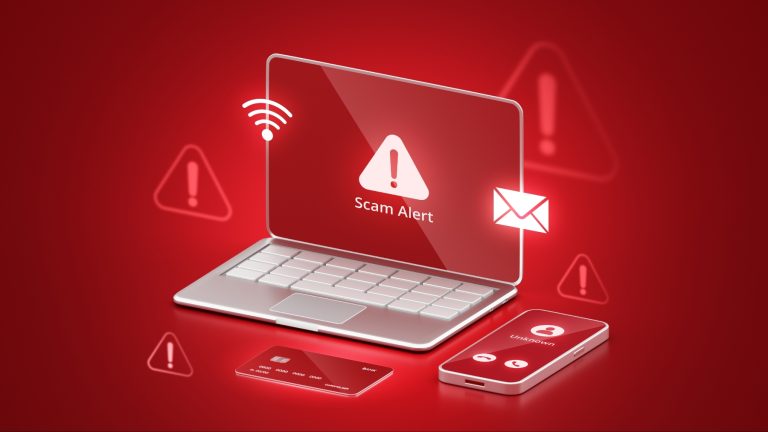
How to Protect Yourself From Phishing and Online Scams: A Practical Guide
Phishing scams steal passwords and money by pretending to be someone you trust. Learn how to spot fake emails, texts and calls, and what to do if you clicked a bad link.
Phishing is the most common online scam in the world. A message that looks like it came from your bank, a delivery company, a government office or even your boss asks you to click a link, download a file or "verify" your account. The link leads to a fake login page that steals your password, or the file installs malware. The good news: almost every phishing attempt gives itself away if you know what to look for.
What is phishing?
Phishing is a message designed to trick you into handing over sensitive information or money. The most common forms are email phishing, SMS phishing (called "smishing"), phone-call phishing ("vishing"), and fake ads or search results. Attackers impersonate companies you trust — banks, delivery services, social media platforms, government agencies — and create a sense of urgency so you act before thinking.
Red flags: how to spot a phishing message
1. Urgency and threats
"Your account will be closed in 24 hours", "Your package cannot be delivered", "Unusual login — verify now". Real companies rarely threaten you by email or text. Urgency is the attacker's favourite tool.
2. A sender address that is almost right
Check the full email address, not just the display name. "support@paypa1.com" or "security@amaz0n-support.net" is not PayPal or Amazon. On a phone, tap the sender's name to reveal the real address.
3. Links that do not match
Before clicking, hover over a link on a computer (or long-press it on a phone) to see the real destination. If the text says "google.com" but the link goes somewhere else, do not click it.
4. Unexpected attachments
Be suspicious of any unexpected attachment, especially .zip, .exe, .scr or Office documents asking you to "enable macros". Real delivery companies do not send invoices as zip files.
5. Requests for passwords or codes
No legitimate company will ever ask for your password, PIN or one-time verification code by email, text or phone. Anyone who asks for a code is a scammer — even if they claim to be from your bank or from tech support.
6. Bad grammar and strange formatting
Many phishing messages still contain spelling mistakes, awkward wording or odd logos. But be careful: AI tools have made some scams look very professional, so good grammar no longer proves a message is real.
How to protect yourself
Turn on two-factor authentication (2FA) everywhere it is offered — ideally with an authenticator app rather than SMS. Use a password manager so you never reuse passwords, and so fake sites cannot capture a saved password. Keep your phone and computer updated, because updates patch the security holes scammers exploit. And when in doubt, never click the link in the message: open the company's app or type its address yourself.
What to do if you clicked a bad link
Do not panic. First, do not enter any information on the page — close it. If you entered a password, change it immediately from the real site, and change it everywhere else you used the same password. Turn on 2FA. If you entered payment details, contact your bank and ask them to block the card. Run a security scan on your device, and report the message as phishing in your email app so it helps protect others.
Sources
What's Your Reaction?
 Like
0
 Dislike
0
 Love
0
 Funny
0
 Angry
0
 Sad
0
 Wow
0