


































What Is RCS Messaging? How the SMS Successor Works on iPhone and Android
RCS, or Rich Communication Services, is the modern standard replacing SMS and MMS with high-resolution photos, typing indicators, read receipts and group chats inside your phone's default messaging app. Here is how it works on iPhone and Android, what it does that SMS cannot, and where encryption stands in late 2026.

What Is RCS Messaging? How the SMS Successor Works on iPhone and Android
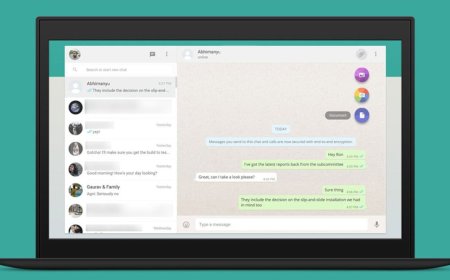
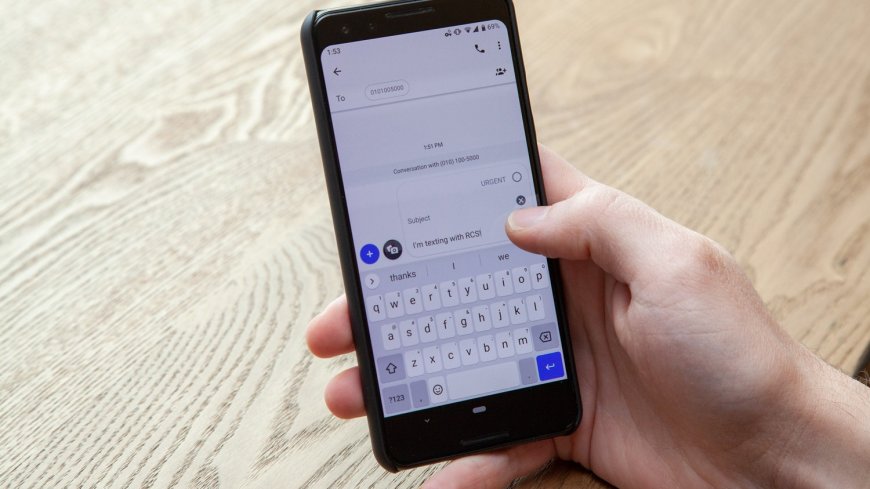
For more than thirty years, texting between phones meant SMS: short, plain messages with no photos worth keeping, no sign that anyone had read them, and no way to know if the other person was typing. RCS — Rich Communication Services — is the industry's answer to that. It keeps the simplicity of texting a phone number, but adds the features people expect from a modern chat app, and it works inside the messaging app already on your phone.
After years of slow rollout, RCS reached a turning point when Apple added it to the iPhone in 2024, and again in 2026, when end-to-end encryption began rolling out between iPhone and Android. If you have ever wondered why some of your texts suddenly show typing bubbles and read receipts while others do not, this is the explanation.
What RCS actually is
RCS is a messaging standard developed by the GSMA, the global trade body for mobile network operators, as the successor to SMS and MMS. It was first proposed in 2007, and the GSMA published the Universal Profile in 2016 — a common set of rules that made RCS work the same way across carriers instead of each operator running its own incompatible version.
The core difference is how messages travel. SMS moves over the old signalling channel of the mobile network, which is why it is limited to short text and tiny, compressed media. RCS sends messages over the internet — mobile data or Wi-Fi — the same way iMessage or WhatsApp do. That one change is what makes everything else possible.
Importantly, RCS is not an app and not a Google or Apple product. It is a carrier standard that both companies have built into their messaging apps. You do not download anything new, and you do not create an account: your phone number is still your address, and your conversations still live in the default Messages app.
RCS vs SMS and MMS: what changes
The practical differences show up the moment a conversation switches to RCS. Here is how the three standards compare.
| Feature | SMS | MMS | RCS |
|---|---|---|---|
| Text messages | Yes, 160 characters per segment | Yes | Yes, no practical length limit |
| Photos and video | No | Yes, heavily compressed | Yes, high resolution |
| Typing indicators | No | No | Yes |
| Read receipts | No | No | Yes |
| Group chats | Basic, unreliable | Basic | Yes, with names and reactions |
| Reactions, replies, edit and unsend | No | No | Yes, where supported |
| Works over Wi-Fi | No | No | Yes |
| End-to-end encryption | No | No | Yes, in supported conversations |
Beyond the basics, RCS supports verified business senders, so a message from your bank or airline can carry a logo, a brand name and interactive buttons for things like check-in or delivery tracking — instead of a plain text from an unknown short code.
RCS on iPhone
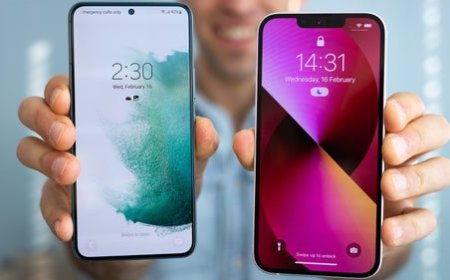
Apple added RCS support with iOS 18, released in September 2024. On a supported carrier, an iPhone can exchange RCS messages with Android phones through the built-in Messages app — higher-resolution photos, typing indicators, read receipts and proper group chats, where the conversation previously fell back to SMS and MMS.
Two things did not change. First, iMessage is untouched: chats between Apple devices still appear as blue bubbles, while RCS and SMS conversations with non-Apple phones still appear green. Bubble colour alone does not tell you whether a green-bubble conversation is using RCS or SMS — you need to look at the features, or the label in the message field. Second, Apple did not invent its own RCS; it implemented the GSMA's Universal Profile, starting with version 2.4.
To use it, an iPhone needs iOS 18 or later and a mobile plan from a carrier that supports RCS on iPhone. The setting lives under Settings > Apps > Messages > RCS Messaging. If the setting does not appear at all, Apple's own support documentation says the carrier does not support RCS on iPhone yet.
RCS on Android
On Android, RCS is delivered mainly through Google Messages, which most modern Android phones ship with as the default messaging app. Android 5.0 or later is the minimum requirement, and the feature is labelled "RCS chats" in the app's settings. Google routes RCS through its own servers rather than waiting on each carrier, which is why RCS has worked on Android for years while iPhone support lagged behind.
To check it, open Google Messages, tap your profile icon, then go to Messages settings and look for RCS chats. The app needs to be set as the default SMS app, and the phone needs an active data or Wi-Fi connection plus the ability to send and receive SMS for the initial verification.
Is RCS messaging encrypted?
This is the question with the most nuance, and the honest answer is: sometimes, and you should check the conversation itself.
Google Messages has offered end-to-end encryption for RCS chats between Android users for years, using the Signal Protocol. What was missing was the same protection across platforms. The GSMA addressed that in Universal Profile 3.0, published in March 2025, which added end-to-end encryption based on the Messaging Layer Security (MLS) protocol.
In May 2026, that became real: Apple released iOS 26.5, and end-to-end encrypted RCS began rolling out in beta for person-to-person conversations between iPhone and Android, on supported carriers, with the latest version of Google Messages on the Android side. The GSMA announced the cross-platform rollout on 11 May 2026. For the first time, the default inboxes of the two major mobile platforms could exchange end-to-end encrypted messages — something SMS never achieved in more than thirty years.
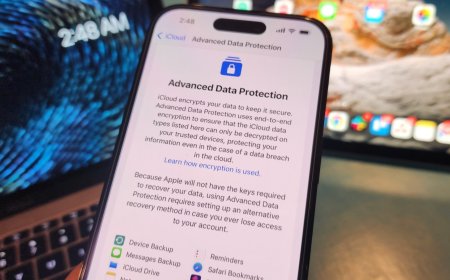
There are limits worth knowing. Encryption needs support from every participant's carrier, and Apple still labels the feature beta. Apple says an "Encrypted" label and a lock icon in the chat indicate that a conversation is protected; without that indicator, it is not. And business messages are a separate case: Google says messages from businesses are encrypted to and from its servers but are not end-to-end encrypted, because Google scans them for spam and malicious content.
Why some of your messages still fall back to SMS
RCS only works when everything in the chain supports it: both phones, both messaging apps, both carriers, and an internet connection. If any link is missing — the other person is on an old phone, their carrier has not enabled RCS, or either side has no data connection — the conversation falls back to SMS or MMS automatically. You will notice the difference immediately: photos arrive compressed, typing indicators vanish, and read receipts disappear.
That fallback is also why RCS adoption feels uneven. Support depends on region and carrier, and features roll out at different speeds. A conversation that shows read receipts with one contact may not show them with another, even on the same phone.
What is next for RCS
The standard is still moving. Universal Profile 2.7, published in 2024, added editing and deleting sent messages, reactions and inline replies to the specification. In March 2026 the GSMA announced Universal Profile 4.0, which adds messaging-initiated video calls and rich text formatting, and a further refinement, Universal Profile 4.1, followed in July 2026 with updated encryption specifications from interoperability testing between Android and iOS.
The direction is clear: RCS is becoming the default way phones text each other, with the chat-app features people already expect and encryption that is finally catching up. The remaining work is mostly on the carriers — wider support, and wider encryption — rather than on the phones themselves.
The bottom line
RCS is the upgrade SMS needed: the same phone number, the same messaging app, but with high-quality media, typing indicators, read receipts, proper group chats and, increasingly, end-to-end encryption. If your phone supports it, it is already on — check the RCS setting in your messaging app, look for the encryption indicator in your conversations, and expect the plain old text message to quietly fade into the background.
For a related explainer, read What Is 5G and Do You Really Need It? A Simple Explainer.
Sources
- TRTC — What Is RCS Messaging? Features, Uses, and Benefits
- Pandromeda — RCS Messaging Explained: Fix Not Working & Activation [2026]
- Sinch — A Brief History of RCS: 2007 Until Now
- SC Media — Apple and Google roll out end-to-end encrypted RCS messaging (12 May 2026)
- Safeguard — RCS Messaging Explained: Universal Profile, IMS, MLS and Business Chat
- MacRumors — iOS 26.3 Hints at Improved iPhone-to-Android Texting Coming Soon
What's Your Reaction?
 Like
0
 Dislike
0
 Love
0
 Funny
0
 Angry
0
 Sad
0
 Wow
0