



































































India's Home Ministry Warns WhatsApp Web Users: Log Out After Every Session to Stop Account Hijacking
India's home ministry cybercrime unit has warned WhatsApp Web users that leaving a session logged in on a shared or public computer can hand criminals access to their account, urging everyone to log out manually after every session.

India's Home Ministry Warns WhatsApp Web Users: Log Out After Every Session to Stop Account Hijacking
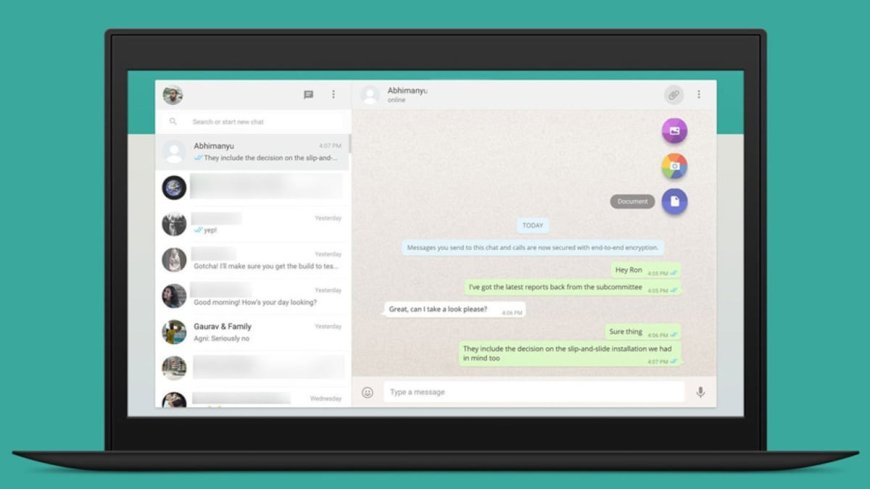
India's home ministry has warned WhatsApp users that a web session left logged in on a shared or public computer can become an open door into their account. The advisory, issued by the cybercrime unit of the Ministry of Home Affairs, says an authenticated WhatsApp Web session can be misused to read private messages, send messages in the account holder's name, and carry out fraud — and its core instruction is simple: log out manually after every session.
The warning was issued by the National Cybercrime Threat Analytics Unit (NCTAU), which works under the Indian Cyber Crime Coordination Centre (I4C). The advisory, titled "Safe Use of WhatsApp Web" and dated November 18, 2026, was made public on November 23 and 24, drawing wide coverage across Indian media.
What the advisory warns about
According to the NCTAU, an authenticated WhatsApp Web session could, under certain circumstances, be misused to gain unauthorised access to a user's WhatsApp account. Once inside, a malicious actor could read private messages, send messages while impersonating the account holder, access contact lists and group conversations, and exploit the user's trusted identity for fraud, phishing and social engineering attacks.
The risk is greatest on machines other people can reach. The advisory specifically flags office computers, shared systems, public computers and any device that may be accessible to others. WhatsApp is used widely in India as an informal channel of communication across government departments and private companies, including for the exchange of official documents — which is why the warning carries weight well beyond personal chats.
Importantly, the concerns raised by the government do not point to a flaw in WhatsApp's end-to-end encryption, which also extends to linked devices. The problem is the session itself: a browser that stays logged in keeps the account open to whoever sits down at that computer next.
Do not use WhatsApp Web for sensitive work
The advisory recommends that government, organisational, financial, confidential or other sensitive information should preferably not be exchanged through WhatsApp Web sessions on computers. For official and sensitive work environments, organisations have been advised to avoid using WhatsApp Web on office systems altogether.
Users have also been warned against logging in from cyber cafes, public kiosks, hotel business centres, borrowed computers and other untrusted systems. Where temporary use of WhatsApp Web on a trusted computer is unavoidable, the government recommends using incognito or private browsing mode — and then logging out manually before closing the browser.
Closing the tab is not logging out
The single most important point in the advisory is one many users get wrong: simply closing the browser window or tab does not necessarily terminate an authenticated WhatsApp Web session. The account can remain logged in, and the next person to open the browser may still find the chats waiting for them.
Users must therefore manually log out after every session and avoid keeping their accounts permanently logged in. Incognito or private browsing mode is only an additional security measure — it is not a substitute for logging out.
How to log out and check your linked devices
WhatsApp provides a way to see every computer and device connected to an account, and sessions can be ended remotely from the phone without touching the original machine. The advisory urges users to review this list regularly and remove any device or session they do not recognise.
On Android, open WhatsApp, tap the three-dot menu in the top right corner, and select Linked Devices. On iPhone, open WhatsApp, go to Settings, and tap Linked Devices. The list of connected devices will appear; tapping any unfamiliar computer, browser or device and choosing Log Out ends that session.
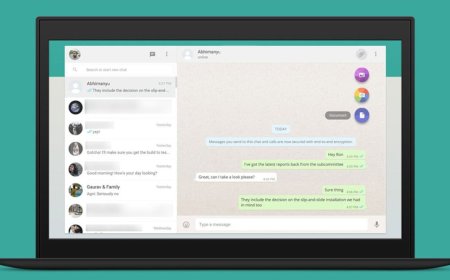
To log out from the computer itself, click the three-dot menu above the chat list in WhatsApp Web and select Log Out. Do this every time, even on a home computer, before walking away.
Signs that someone else may have access
The advisory also asks users to stay alert for signs of compromise. Messages sent from the account that the owner never wrote — particularly links or requests for money — are a warning sign, as are contacts reporting suspicious messages from the number, or replies arriving to conversations the owner never started. An unknown device in Linked Devices is the clearest signal of all, and a working phone app is no proof the account is secure.
If an unfamiliar device shows up, the advice is to log it out immediately and then review recent conversations for anything sent without permission.
Beyond session hygiene, the I4C recommends keeping devices, operating systems, browsers and security software updated, avoiding suspicious downloads, unknown files and cracked software, and remaining vigilant about any unusual activity on WhatsApp accounts.
Part of a wider pattern of warnings
This is not the I4C's first warning on the subject. The unit issued two earlier advisories in June and August 2026 about a campaign targeting senior executives, company directors, chartered accountants and corporate finance professionals. The new advisory broadens the message to every WhatsApp Web user.
The advisory closes with a line worth remembering: "Stay Alert. Log Out After Every Session. Protect Your Digital Identity."
Sources
- The Hindu — Indian Cyber Crime Coordination Centre warns of possible misuse of WhatsApp Web sessions
- The Indian Express — WhatsApp Web Warning: Government Lists Cyber Risks and Safety Rules
- Moneycontrol — MHA warns of WhatsApp Web misuse, advises users to log out after every session
- Firstpost — 'Avoid official or sensitive work on WhatsApp': India issues cyber advisory, warns of account misuse
- Deccan Herald — Centre issues security advisory against WhatsApp Web over account hijacking
- YourStory — Log out after using WhatsApp Web to prevent account hijacking: MHA advises users
- Nagaland Tribune — MHA cybercrime unit warns against misuse of WhatsApp Web, advises caution
What's Your Reaction?
 Like
0
 Dislike
0
 Love
0
 Funny
0
 Angry
0
 Sad
0
 Wow
0