




































Anthropic Lets You Install Claude Artifacts as Desktop Apps on Mac and Windows
Anthropic has rolled out "Install as app" in beta, letting Claude users turn artifacts they build in chat into standalone desktop apps on Mac and Windows, with their own window, icon and permission controls.
Anthropic Lets You Install Claude Artifacts as Desktop Apps on Mac and Windows
Anthropic has given Claude users a way to take the tools they build inside a chat and put them on their computer like any other app. The company announced a new "Install as app" feature on November 24, 2026, and it is rolling out in beta to Claude users on Mac and Windows across all plans.
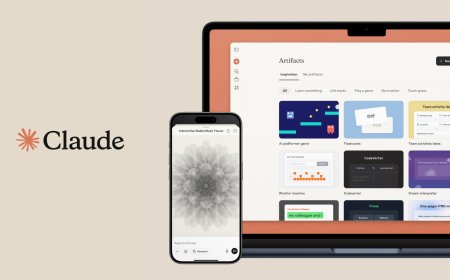
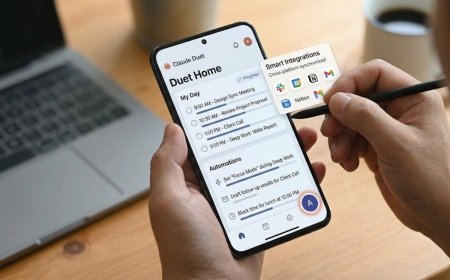
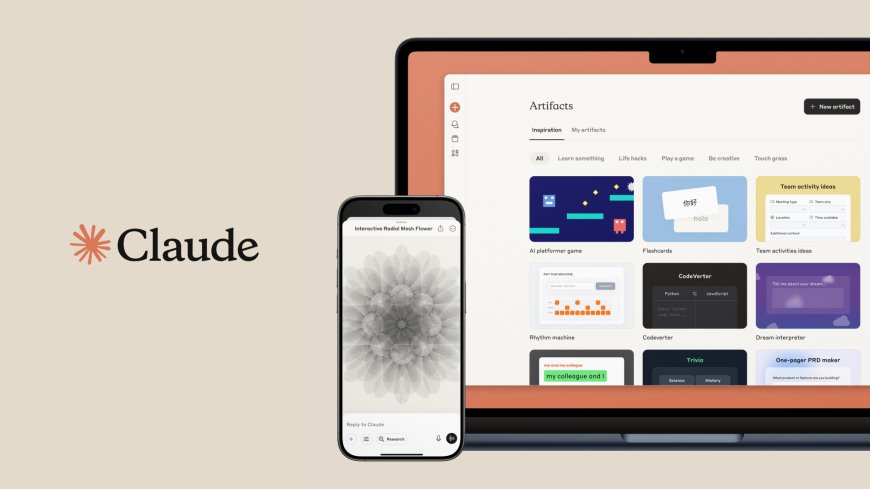
Artifacts are the documents, designs, dashboards and interactive tools Claude creates in a panel beside your conversation. Until now, they lived inside Claude. With this update, an artifact can become a standalone desktop application with its own window and its own icon, so a small tool you asked Claude to build — a tracker, a timer, a dashboard — can sit in the Dock or the Start menu instead of buried in a chat thread.
How installing an artifact works
There is no packaging, signing or separate setup involved. Once Claude Desktop is updated to version 6.28899.0 or later, you open the artifact in the Mac or Windows app and choose "Install as app" from its Share menu, title menu or right-click menu. Anthropic says the whole process takes only a few seconds.
On a Mac, the installed app lands in a Claude Apps folder inside the Applications folder, and it can be kept in the Dock. On Windows, it appears in the Start menu or as a desktop shortcut. The app uses your existing Claude account, so there is no extra login and no API key to manage.
Anthropic has also published a set of example apps so people can try the feature and see what is possible before building their own.
Installed apps still depend on Claude
These are not fully independent programs. An installed app is a desktop window for the same artifact, not a separate copy, so it changes whenever the underlying artifact is edited — and it updates automatically. Opening one requires an internet connection and an active Claude sign-in, and anything the app does with Claude counts toward the usage limits of your plan.
Not every artifact qualifies. Claude Docs, Slides and Sheets cannot be installed as apps, and neither can legacy artifacts or live Cowork artifacts.
Three permission levels — and a warning worth reading
Every installed app needs a permission level, and this is the part users should slow down for. The Default level lets an app do only what it could already do inside a browser. App permissions go further, allowing things like notifications, global keyboard shortcuts, always-on-top windows and a menu bar or system tray item.
Full computer access goes much further still: an app with that level can run programs and read, change or delete files on your computer without asking before every action. Anthropic is blunt about the risk in its own guidance — it does not review apps before you install them. That means the sensible rule is to give an app the lowest permission level it actually needs, and to reserve full access for tools you built yourself or that come from people inside your own organisation.
Installed apps can also use connectors, Anthropic's links to outside services, and each time an artifact is edited, the app asks for permissions again before the change takes effect.
Who gets it, and when
The beta is rolling out across Free, Pro, Max, Ultra, Team and Enterprise plans. For Team subscriptions the feature is on by default, though full computer access stays off unless an administrator enables it. Enterprise organisations have to switch it on manually in Organisation settings, and HIPAA-ready organisations and hybrid deployments cannot use the beta at all.
Linux, the web and mobile are not supported for now — this is a Mac and Windows desktop feature only.
Paid plans also get persistent storage for artifacts, up to 100 MB or 25,000 records per artifact, whichever comes first, which makes installed tools such as trackers and small databases more useful over time.
Why it matters
Claude Artifacts have quietly become one of Anthropic's most practical features: describe a tool in plain language and you get working software in minutes. Letting those tools live on the desktop closes the gap between a demo in a chat window and something you actually open every day.
The trade-off is the same one that follows every move from a browser sandbox to the desktop. An app that can run programs and touch your files is genuinely more useful — and genuinely more dangerous in the wrong hands. Anthropic's answer is transparency rather than review: it tells users plainly that these apps are unreviewed, and puts the permission choice in front of them at install time.
For anyone who has already built a few artifacts, the feature is a small but meaningful shift: the things Claude makes for you no longer have to stay inside Claude. For Anthropic, it is another step in turning Claude from a chatbot into a place where personal software gets built, installed and used — a direction the company has been pushing all year, from Claude Meetings joining Google Meet calls to its agentic coding tools.
Sources
What's Your Reaction?
 Like
0
 Dislike
0
 Love
0
 Funny
0
 Angry
0
 Sad
0
 Wow
0