

















































Satellite Messaging Explained: How to Text Without Signal on iPhone and Android
Stranded without bars on your phone? Satellite messaging lets modern iPhones and Android phones send texts through satellites when there is no cellular or Wi-Fi coverage at all. This guide explains how it works, which phones support it, what it costs, and where it still falls short.

Satellite Messaging Explained: How to Text Without Signal on iPhone and Android
There are still plenty of places where a phone shows no bars at all: a mountain trail, a desert highway, a boat miles from shore, or a village after a storm has knocked the towers down. For years, staying in touch from those places meant carrying a dedicated satellite phone. That has changed. Modern smartphones can now send text messages straight to a satellite overhead, no extra hardware required, and the feature is quietly becoming standard on new phones.
This guide explains what satellite messaging actually is, how it works, which phones and carriers support it, what it costs, and what it still cannot do.
What is satellite messaging?
Satellite messaging is a phone's ability to send and receive text messages by connecting directly to a satellite instead of a mobile tower. It only kicks in when your phone has no cellular signal and no Wi-Fi, so it works as a backup channel rather than a replacement for your normal network.
The idea is simple, but the engineering is not. A phone's radio is weak compared with a satellite phone, and the satellites it talks to sit hundreds of kilometres above the Earth. To make the link work, the phone sends very small, compressed packets of data at slow speeds, and the satellite relays them down to a ground station, which hands the message to the ordinary phone network. The reply travels the same path in reverse.
Because the link is narrow and slow, satellite messaging is built for short text. It is not satellite internet, and it will not load web pages, stream video, or carry a normal phone call.
How does it work?
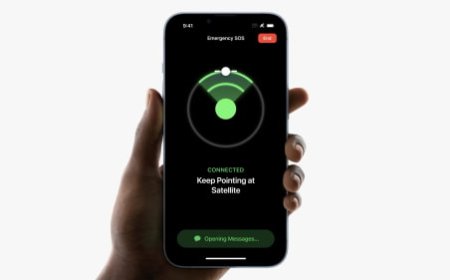
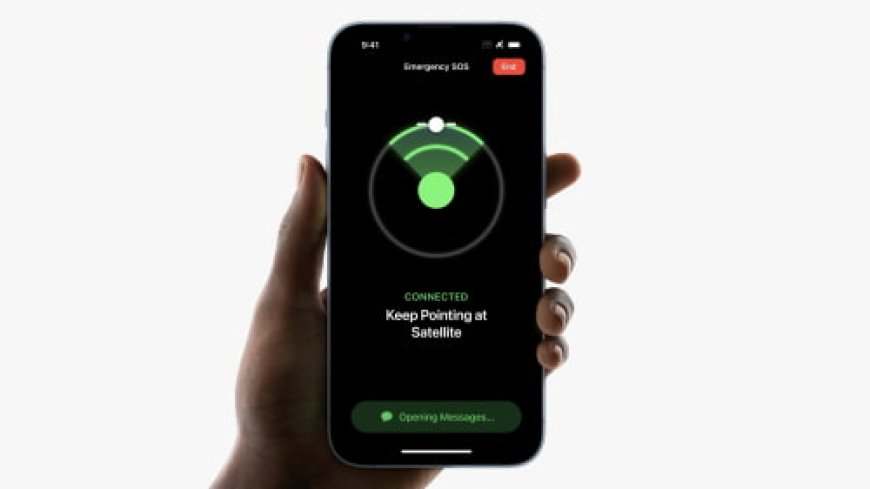
When your phone loses all coverage, the satellite feature becomes available automatically. The phone then helps you find the satellite. On an iPhone, an on-screen guide shows a dot and arrows telling you to turn left or right until the connection locks in. On a Pixel, the phone points you toward a satellite fixed in the sky and asks you to tilt the device toward it.
Once connected, you write your message as usual and the phone sends it in compressed form. Apple says a message can take about 30 seconds in ideal conditions, more than a minute under light or medium tree cover, and several minutes in some circumstances. The satellites move fast and the phone has to keep tracking them, so staying still with a clear view of the sky matters. Indoors, under a roof, or under dense cover, the connection may fail altogether, and Apple notes the service might not work above 62 degrees latitude.
Behind the scenes, the whole approach follows the 3GPP non-terrestrial network standard, which added satellites to the mobile standards with Release 17. That is why different phone makers and carriers can all offer their own versions of the same basic idea.
Satellite messaging on iPhone
Apple was first to put satellite messaging in a mainstream phone, starting with the iPhone 14 in 2022. Every iPhone 14 or later supports it, and the feature now covers two different uses.
Emergency SOS via satellite is the original feature. When you try to call emergency services and there is no cellular or Wi-Fi coverage, the phone walks you through a short questionnaire about what is happening, then sends your answers, your location, your Medical ID details and your remaining battery level to emergency responders, either directly or through Apple's Emergency Relay Center. It works in 20 countries, including the United States, Canada, the United Kingdom, Australia, France, Germany, Japan, Mexico, Spain and Switzerland, and visitors can use it in those countries too.
Messages via satellite arrived with iOS 18 in September 2024 and covers everyday texting rather than emergencies. With it, you can exchange iMessages and carrier-supported SMS texts with friends and family while off the grid. It works in the United States, Canada, Mexico and Japan, requires iOS 18 or later (iOS 18.4 or later in Mexico), an active SIM, and iMessage switched on before you leave coverage. Apple says the service is free for two years after you activate an iPhone 14 or later, and it has extended the free period for owners of earlier models who activated before 9 September 2026.
There are limits worth knowing. Messages via satellite is text only: no photos, videos, audio messages, stickers or group messages. And Apple does not offer satellite connectivity on iPhones bought in Armenia, Belarus, mainland China, Kazakhstan, Kyrgyzstan or Russia, while models bought in Hong Kong and Macao only support it from the iPhone 16e onwards. A separate feature, Roadside Assistance via satellite, works only in the United States, the United Kingdom and Australia. Apple's satellite network is provided by Globalstar, whose low-Earth-orbit satellites sit around 1,414 km above the Earth.
Satellite messaging on Android and Pixel
Google's version is called Satellite SOS, and it launched with the Pixel 9 family in August 2024. It is available on all Pixel phones from the Pixel 9 onwards, except the budget Pixel 9a, and it runs over a satellite network operated by Skylo, with emergency-response coordination handled by Garmin Response.
Unlike Apple's version, Pixel Satellite SOS is for emergencies only. When an emergency call cannot connect, the phone guides you to point it at a satellite and sends a text-based emergency message and your location to the authorities. It does not provide routine satellite texting with friends. Google says it is included at no extra charge for the first two years after you activate a supported phone, and it requires Google Messages to be set as the default messaging app. It works in the United States, Canada, Puerto Rico, Australia and most of Europe, including the UK, France, Germany, Spain, Italy, Norway, Switzerland and Liechtenstein, though Google cautions that being in a listed country does not guarantee coverage at every spot.
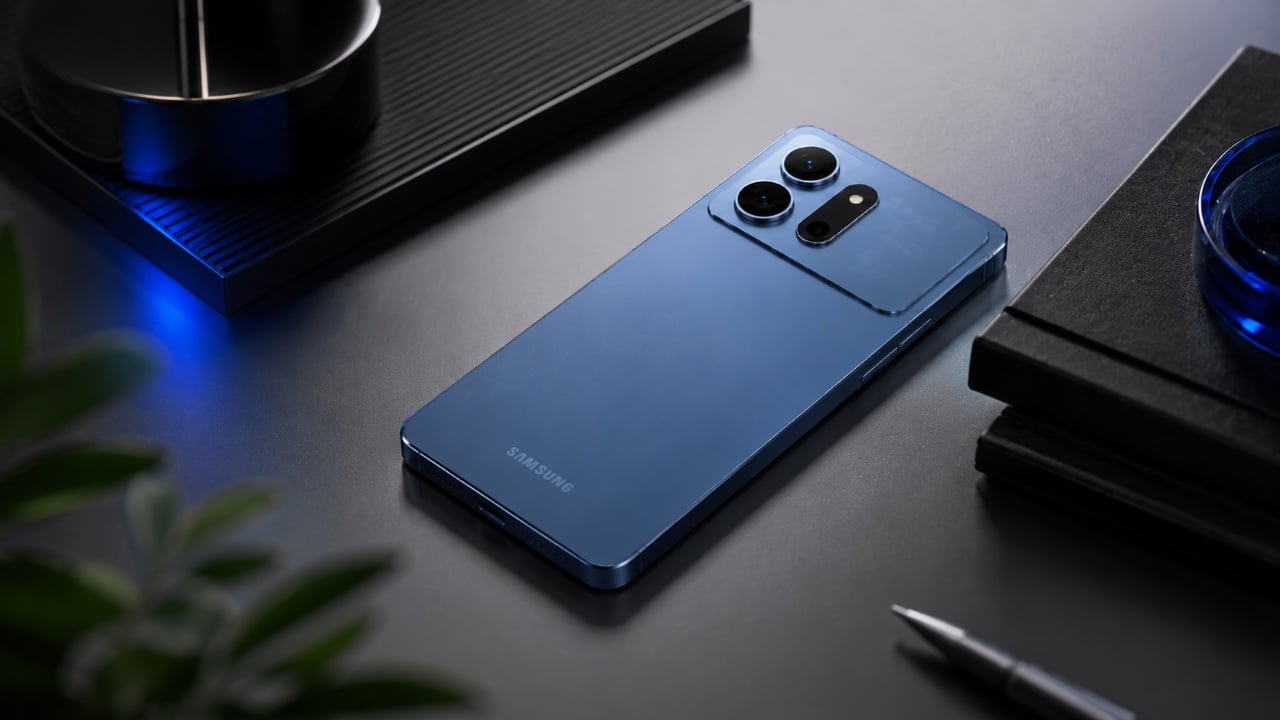
Samsung phones have joined in through carrier partnerships rather than a Samsung-built service. Galaxy S25 series phones and later models on Verizon, for example, can send ordinary two-way satellite texts and emergency messages through Skylo at no extra fee in supported areas of the United States, including Hawaii and parts of Alaska.
Carrier satellite services: T-Satellite and Verizon
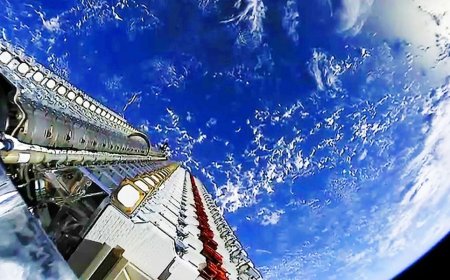
The broadest option in the United States does not come from a phone maker at all, but from a carrier. T-Mobile's T-Satellite, built with SpaceX's Starlink Direct to Cell satellites, went live commercially on 23 July 2025 with more than 650 low-Earth-orbit satellites acting as cell towers in space.
T-Satellite lets compatible phones send SMS, MMS and RCS texts, share a location, and use a growing list of satellite-ready apps, including WhatsApp voice messages, Google Maps, AllTrails, AccuWeather and X. It still does not carry regular phone calls or general web browsing. It is included at no extra cost on T-Mobile's Experience Beyond and Better Value plans, and costs 10 US dollars a month per line as an add-on for other T-Mobile customers and for customers of other carriers with an unlocked, eSIM-capable phone. Texting 911 over the satellite link is free for anyone with an eligible phone, even if they are not a T-Mobile customer. Most smartphones from roughly the last four years qualify, including iPhone 13 and later and Galaxy S21 and later, and coverage spans the continental United States, Hawaii, Puerto Rico and parts of southern Alaska.
Verizon offers a separate Skylo-based service for eligible Pixel and Samsung Galaxy phones, giving customers two-way satellite texting and emergency SOS at no extra charge.
What satellite messaging cannot do
Satellite messaging is a safety net, not a second network. Messages take seconds to minutes rather than arriving instantly, and they need open sky, so the service will not work in a basement, a tunnel or a heavily wooded valley. Most services are text only, and even T-Satellite, the most capable option, only supports a curated list of apps rather than the open internet.
Coverage is also patchy by design. Each service works only in the countries its provider has cleared with regulators, and the free periods on iPhone and Pixel are launch offers, not lifetime promises. Nobody has said yet what either service will cost once the free period ends, so treat the current terms as temporary.
Finally, none of these services replaces a dedicated satellite messenger such as a Garmin inReach for serious backcountry use. Those devices have bigger antennas, longer battery life, global coverage and a subscription built for the outdoors, while a phone's satellite feature is an emergency backup you happen to carry.
Before you rely on it
A few minutes of preparation make the feature far more useful when you actually need it. First, check that your phone and your country are supported before you travel, since availability depends on where you are, not just on which phone you own. On an iPhone, turn on iMessage before you leave coverage, because it cannot be switched on once you are already off the grid. On a Pixel, make sure Google Messages is your default messaging app and that Satellite SOS is set up in advance. And remember that the phone needs a clear view of the sky and a charged battery: a dead phone cannot text anyone, satellite or not.
Satellite messaging will keep getting better. More satellites are launching, more carriers are signing up, and the list of supported apps is growing. For now, it does one thing well: it keeps a short message moving when nothing else can, and in an emergency that is enough.
Related reading
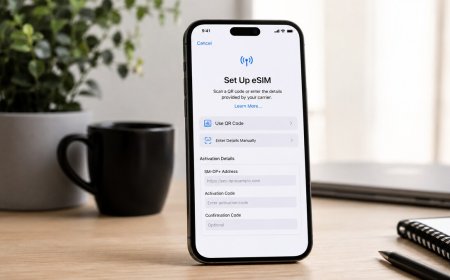
Like satellite messaging, an eSIM depends on your carrier and your phone's hardware, so it is worth checking compatibility before you travel.
Sources
- Apple Support — About Messages via satellite
- Apple Support — Send a text message via satellite on iPhone
- Pandromeda — Pixel Satellite SOS: How It Works, Cost & Phones
- Pandromeda — T-Satellite Explained: Phones, Plans, Coverage
- The Tech Hacker — T-Mobile T-Satellite: Is It Worth It?
- Skipcall — Satellite Texting: iPhone, Pixel, Galaxy, Carriers, Costs
- Offline Protocol — Satellite messaging on phones: how it works
- Hackaday — How Modern Smartphones Talk To Satellites
- Yaabot — Satellite Messaging: How It Works on Phones
- CodeeSIM — iPhone Satellite SOS by Country: Where It Works
What's Your Reaction?
 Like
0
 Dislike
0
 Love
0
 Funny
0
 Angry
0
 Sad
0
 Wow
0