
























































Gemini Can Now Use Your Mac for You as Google Brings Computer Use to macOS
Google has added computer use to the Gemini app for Mac, letting the AI assistant click, type, fill in forms and work across local files, desktop apps and websites in the background. The feature is rolling out in English in the United States and needs a paid Google AI Plus, Pro or Ultra subscription.
Gemini Can Now Use Your Mac for You as Google Brings Computer Use to macOS
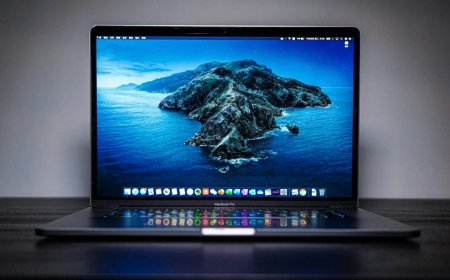
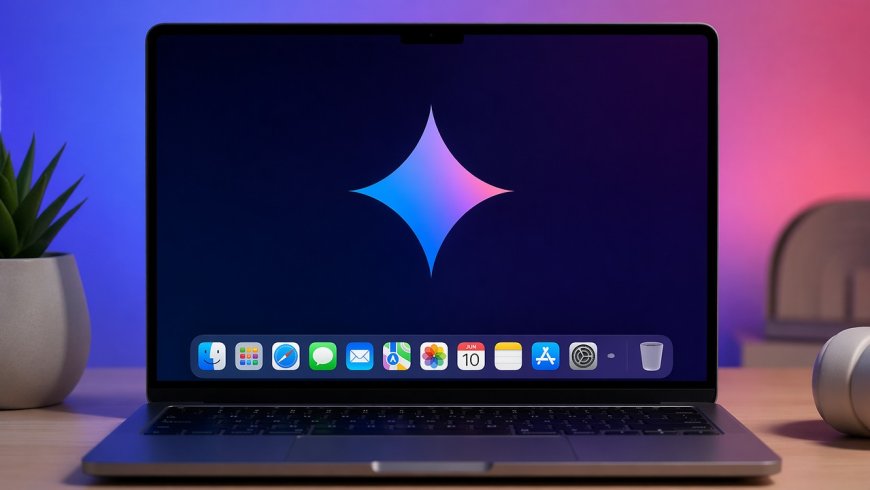
Google has given its Gemini app for Mac a pair of hands. The company announced on Thursday, November 19, that the app can now use your computer on your behalf, carrying out multi-step tasks across local files, desktop apps and websites while you keep working on something else.
The new capability, called computer use, turns Gemini from a chatbot that answers questions into an agent that does the clicking. Describe what you need in plain language, and Gemini handles the clicking, typing, menus and forms for you, Google said in its announcement.
What Gemini can now do on a Mac
Computer use is aimed squarely at the repetitive work that eats up a working day. Google's examples show the range it has in mind: batch colour-grading photos in design software, setting up complex 3D scenes, pulling numbers from live dashboards in different regions and building a presentation in Google Slides, or working through a folder of clothing photos, researching prices and staging listings on resale platforms.
The more everyday uses may matter most to ordinary users. Gemini can pull weights, dimensions and addresses out of local PDF files and use them to fill in multi-box shipping quotes, or sort files into folders and fill out forms that would otherwise take dozens of clicks each.
It works in the background, not on your screen
One design choice sets Google's version apart from the way some other agents work. Gemini runs inside an isolated background window, with a live preview of what it is doing shown right in your chat. Your main screen and cursor stay completely free, so you can keep typing, designing or taking calls while the agent works.
You stay in control throughout. You choose which apps Gemini is allowed to touch, you can watch every step live, pause it at any time, and approve key actions before they happen. To start a task, open Task mode in the Mac app, mention @Computer use, and describe the job.
Who can use it, and what it needs
For now the rollout is narrow. Computer use is available in English in the United States, in the Gemini app for Mac, and it requires a Google AI Plus, Pro or Ultra subscription. It also needs an Apple Silicon Mac running macOS Sequoia 15.0 or later, a personal Google account, and the user to be 18 or older. Work and school accounts are not supported at launch, and Google has not said when the feature will reach other countries or platforms.
There are limits worth knowing before handing the keys over. Google's own support documentation warns that the agent can reach sessions already signed in inside desktop apps, can encounter authentication codes shown on screen, and can take actions inside some apps that cannot be undone. It also warns about prompt injection, where malicious instructions hidden in a document or website try to steer an AI agent into doing something its user never asked for. The safeguards are real — per-app permissions, approval gates and the ability to stop it at any step — but the responsibility for what it touches still sits with the user.
Google arrives late to the desktop agent race
Google is not first here. OpenAI, Anthropic and Meta have all been offering agentic features in their desktop apps for some time, and the Mac launch lands in a busy week for Google's own agent push. Only this week, Google began rolling out Gemini Tasks more broadly, the in-app feature that lets the AI sign into websites, make online purchases or book appointments, and it has started admitting early testers to its revamped CC agent for families.
Computer use is the next step in that same direction. Gemini has been getting more capable as a model — Google's Gemini 4 Hydrogen arrived earlier this month, followed by Gemini 4 Carbon for paying developers — and this feature puts that capability to work on the desktop itself, where the actual clicking happens.
Whether users trust an AI with their cursor is the open question. Google's answer is to keep the agent in a separate window, visible at all times, and to ask before anything important happens. If that balance holds, the most boring chores on a Mac may be the first ones to disappear.
Sources
- Google, "Automate Mac tasks with Gemini computer use," Google Blog, November 19, 2026
- TechCrunch, "Google gives Gemini the ability to use your Mac for you," November 19, 2026
- Engadget, "Google boosts Gemini's ability to do 'repetitive tasks' on its Mac app," November 20, 2026
- PYMNTS, "Google's Gemini App Can Now Operate Apple Desktop Computers," November 19, 2026
- Decrypt, "Google Gives Gemini Control of Mac Apps, But Its New AI Agent Comes With Risks," November 20, 2026
What's Your Reaction?
 Like
0
 Dislike
0
 Love
0
 Funny
0
 Angry
0
 Sad
0
 Wow
0