
















































Nothing Phone (2a) and (2a) Plus Get Nothing OS 5.0 Open Beta
Nothing has expanded the Android 17-based Nothing OS 5.0 open beta to the Phone (2a) and Phone (2a) Plus. The unfinished software adds interface changes and new system features, but users should back up their data before installing or rolling back.
Nothing Phone (2a) and (2a) Plus Get Nothing OS 5.0 Open Beta
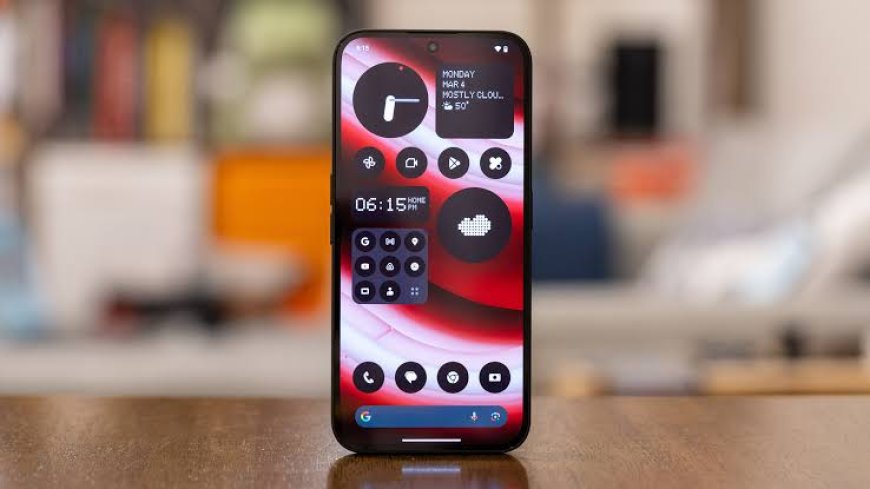
Nothing has expanded its Nothing OS 5.0 open beta to two more phones: the Phone (2a) and Phone (2a) Plus. The release is based on Android 17 and gives owners an early look at the company’s next major software update, but it remains unfinished beta software rather than a stable release.
How to install the beta
Owners need to download the latest Nothing Beta Hub APK from Nothing’s website, install it, then open Settings > System > Nothing Beta Hub. After tapping Check version, users can choose Join Beta. Nothing says the over-the-air update may take up to five minutes to appear. The company recommends making a backup first because returning to a stable build can require a factory reset and erase the phone’s data.
What changes in Nothing OS 5.0
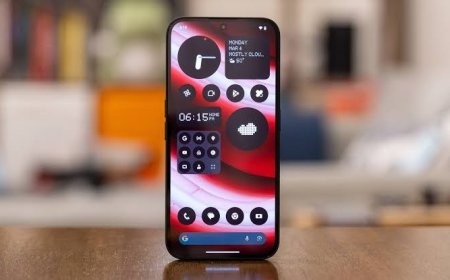
The update brings a refreshed system font, a redesigned Settings menu and new lock-screen clock faces. Nothing is also adding a dedicated Glyph app, separate notifications and Quick Settings areas, and live updates in the status bar. The company’s open-beta announcement also lists ongoing changes to Essential Space, including MCP support arriving separately through Google Play.
Nothing’s community post lists the Phone (2a) and Phone (2a) Plus among the supported devices, while the rollout schedule remains indicative and can vary by device, region and carrier. GSMArena reports that the stable build is expected for these two models in mid-November, but that timing should be treated as a target rather than a guarantee. Anyone who needs maximum stability should wait for the final release.
Sources
What's Your Reaction?
 Like
0
Like
0
 Dislike
0
Dislike
0
 Love
0
Love
0
 Funny
0
Funny
0
 Angry
0
Angry
0
 Sad
0
Sad
0
 Wow
0
Wow
0