







































































Google Lets Gemini Read Your Wallet to Analyse Spending and Plan Budgets
Google has connected Google Wallet to Gemini's Personal Intelligence, letting the AI chatbot analyse spending, flag forgotten subscriptions and build budgets for users in the US — with read-only access and an opt-in switch.
Google Lets Gemini Read Your Wallet to Analyse Spending and Plan Budgets
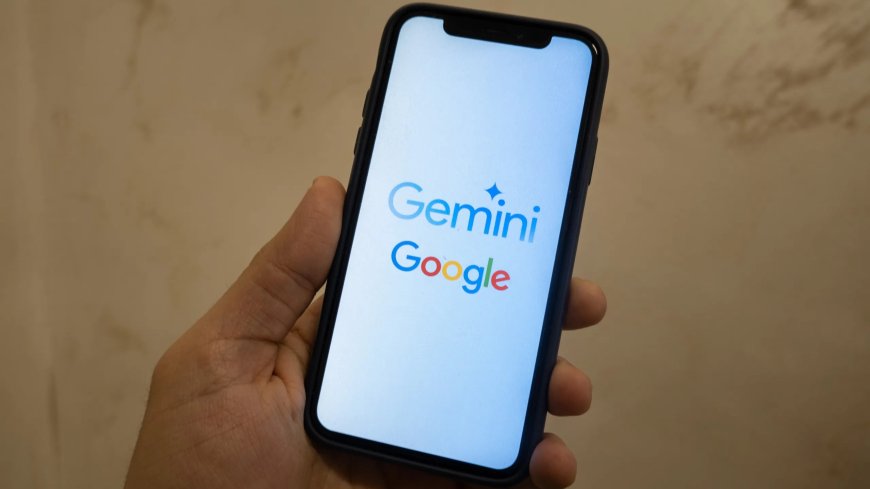
Google is turning Gemini into a personal finance helper. The company announced on November 13 that Google Wallet can now be connected to Gemini's Personal Intelligence, allowing the chatbot to look at your spending and answer budgeting questions in plain language. The feature is rolling out to all Gemini app users in the United States, on the web and on Android and iOS.
Wallet joins Gmail, Photos, YouTube and Search as one of the apps Gemini can draw context from. Once the connection is switched on, Gemini can respond to questions about where your money goes, rather than only answering general questions about finance.
What Gemini can do with your spending
The most practical use is a clear picture of recent spending. Ask Gemini to review what you spent last quarter, and it can generate charts tracking cash flow, asset allocation and budgets directly inside the chat — for example, if you want to work out how to save $1,000 over the next three months.
It can also scan linked accounts for recurring charges, find subscriptions you may have forgotten about, and point out services whose prices have gone up this year. That last detail matters: subscription prices often rise quietly, and a renewal notice is easy to miss.
Google's third example is seasonal. Ask how much you spent on gifts and travel last year, and Gemini can use those transactions to suggest a budget for the coming holiday season.
How to switch it on
The connection is opt-in. Users connect Google Wallet under Connected Apps in the Personal Intelligence settings, and can turn it off at any time. Once linked, they tag @Google Wallet in a Gemini chat and ask about personal finance and budgeting in plain language.
For a fuller picture, bank and credit card accounts can optionally be linked to Wallet through Plaid, the financial data network. That gives Gemini transaction-level detail beyond what Wallet alone holds.
Read-only by design
Google stresses that Gemini can only read information from connected accounts. It cannot move, manage or invest your money. That boundary is the feature's most important design choice: the assistant can see your spending, but it cannot touch it.
Google also says Wallet information is not fed directly into training its generative AI models, though summaries and inferences from Gemini conversations may be used for training when activity saving is switched on.
US only for now
The rollout covers the United States only, and Google has given no date for other markets. Users elsewhere will have to wait, and it is not yet clear whether the feature will reach other regions in its current form or with different data rules.
A familiar idea, a bigger step
The concept is not new. OpenAI launched ChatGPT Finance earlier this year, and Google's move brings a similar idea to the Gemini app — with the difference that Gemini can draw on a wallet people already use for everyday payments, rather than a separate finance tool.
It also fits a wider pattern in Google's recent Gemini work. The assistant has been steadily gaining access to more of a user's own data — first email, photos and search history, now spending — and each step trades convenience for trust. Whether people accept that trade will decide how far features like this one go.
For now, the feature does one thing clearly: it turns a chatbot that could already answer questions about money into one that can answer questions about your money. For anyone who has ever wondered where a month's pay disappeared to, that is a genuinely useful change — provided they are comfortable letting an AI look at the receipts.
Related reading: ChatGPT Wallet Lets OpenAI's AI Agents Shop and Check Out for You and Google Unveils Gemini 4 Hydrogen, a Faster AI Model for Coding and Agentic Workflows.
Sources
What's Your Reaction?
 Like
0
 Dislike
0
 Love
0
 Funny
0
 Angry
0
 Sad
0
 Wow
0