









































Gemini Gems Are Now Read-Only as Google Switches Users to Skills
Google has made Gemini Gems read-only for adult personal accounts as of November 17, 2026, and will remove them entirely on December 17. Skills, the replacement, now work inside any Gemini chat — here is the full timeline and what to do before your Gems disappear.
Gemini Gems Are Now Read-Only as Google Switches Users to Skills
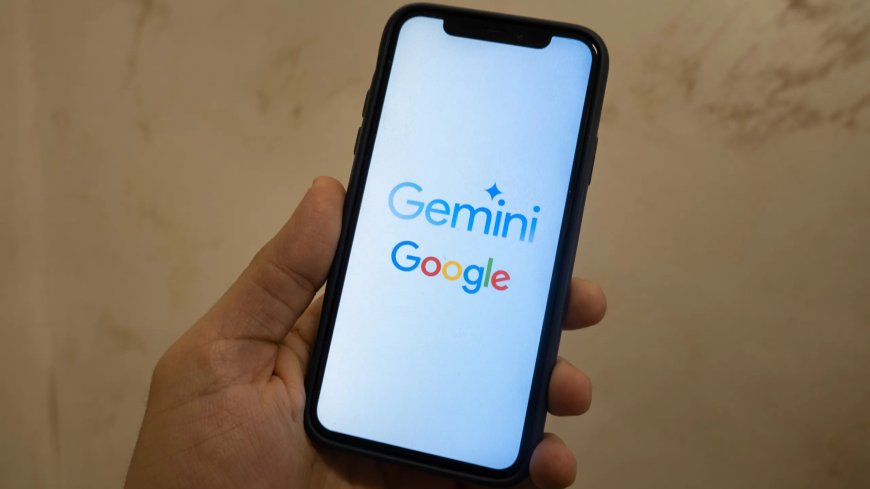
Google has started switching off Gemini Gems. From November 17, 2026, the custom AI assistants that millions of people built inside Gemini became read-only for adults using a personal Google account, and they will disappear from those accounts entirely on December 17. In their place, Google is pushing Skills, a more flexible system that lets the same custom instructions work inside any Gemini conversation.
For anyone who spent the last two years carefully crafting Gems for writing, coding, learning or brainstorming, the change is real but not sudden. Google announced the move on September 30, gave users six weeks to prepare, and says it will convert the Gems people leave behind into Skills automatically. The catch is that the automatic conversion only goes so far, and anything tied to files needs attention before the December deadline.
What changed on November 17
According to Google's Gemini Apps Help Center, personal accounts for users aged 18 and over hit the first milestone on November 17. Gems are still visible in the app for reference, but they can no longer be used, edited or created. A month later, on December 17, they will be removed for good.
The timetable is different for everyone else. People under 18 will move later, on a date Google has not yet announced. Google Workspace users have considerably more time: their Gems moved into the Settings panel on November 17 but keep working, and Google says they will not be removed before March 1, 2027 for Business and Enterprise accounts, or before June 1, 2027 for Education accounts.
What Skills do differently
Gems, launched in 2024, worked as standalone chatbots. Each one carried its own instructions and persona, but you had to open that specific Gem to use it, and it was easy to start a normal Gemini chat and realise too late that the instructions you wanted were sitting in a different window.
Skills flip that around. They are reusable sets of custom instructions that live inside Gemini chat itself, so you can call one up in the middle of an ongoing conversation, either by typing a slash followed by the skill's name, with Google planning to move that trigger to the at-sign, or let Gemini apply one automatically based on the "When to use" section in its instructions. Several skills can also be stacked in a single chat, so an editing skill and a research skill can work on the same conversation together.
The system is built on the open SKILL.md standard, which means skills are designed to be portable to other AI platforms, including Claude and ChatGPT. Google began rolling Skills out on October 13, and they reached Workspace Studio, Gmail, Docs, Slides, Drive and Chat on the web on November 9.
As the transition began, Google also filled two of the biggest gaps in Skills. They now support file attachments, from Google Drive, Gemini Notebook, Google Photos and local devices, and they can be shared with other users, two features Gems owners had been waiting for.
What to do before December 17
Google says it will automatically recreate remaining Gems as Skills in the Gemini app. Those converted skills will show up under Customize as inactive drafts, and each one has to be reviewed and switched on before anyone can use it. Google has also said it will publish full migration details at least 30 days before the automatic conversion starts.
Waiting is an option, but it is not the safest one for Gems that carry files. Each skill can hold up to 100 MB of files, and if a Gem exceeds that, Google removes the largest files first. Some file types are dropped altogether, including legacy Microsoft Office formats, compressed archives, GitHub files, and audio and video files. Anything important should be downloaded before December 17, because Google will delete those files on that date.
The safer route is to recreate the Gems that matter most by hand. In the Gemini app, go to Customize, then Skills, then Create, and either describe the skill to Gemini or choose Create manually and paste in the name, description and instructions from the original Gem. Simple text-based Gems should make the jump without trouble; the ones worth checking carefully are those with attached files or very specific instructions.
The limits worth knowing
Skills are still a work in progress, and a few rough edges remain. You can create as many as you like, but only 100 can be active at one time. They do not sync between the Gemini app and Workspace apps, so a skill needed in both places has to be created twice. And according to Android Police, several Gemini tools do not work with skills yet, including Canvas, Deep Research, Guided Learning, and video and music creation.
None of that changes the direction of travel. Gems were an early attempt at personalised AI assistants; Skills are Google's attempt to make that personalisation a native part of every Gemini conversation rather than a separate destination. The same week also brought another sign of that consolidation: Google's new Gemini 4 Hydrogen model is now rolling out across Google's products, replacing Gemini 3.8 Flash.
Opal shuts down on the same day
Gems are not the only casualty of the November 17 change. Google also shut down Opal, its experimental no-code AI app builder, on the same day. Unlike Gems, Opal apps will not be moved to Skills automatically, so anyone who built workflows there needs to copy their prompts or rebuild them elsewhere. Google points those users toward Gemini Skills for reusable instructions and Google AI Studio for more advanced work. Gems created by Google Labs are also going away this month.
For most personal account holders, the practical message is simple: your Gems stopped working on November 17, they vanish on December 17, and the month in between is the window to save what matters and rebuild it as a skill.
Sources
- Android Police — Gemini Gems are going away soon; here's how you should get ready
- The Verge — Gemini Gems are retiring today (November 17, 2026)
- TechRepublic — Google Opal shuts down November 17
- Analytics Insight — Gemini Skills now support files and sharing in push to replace Gems
- AndroidPure — Gemini Gems go read-only today: how to move them to Skills
- Google Gemini Apps Help — About the transition from Gems to Skills
What's Your Reaction?
 Like
0
 Dislike
0
 Love
0
 Funny
0
 Angry
0
 Sad
0
 Wow
0